
Deposits & Withdrawals
Binance Fiat Deposit Guide: Bank Transfer, Card, or P2P?
Separate fiat balance deposits, card purchases and P2P trades, then compare live availability, total cost, settlement time and recovery options.
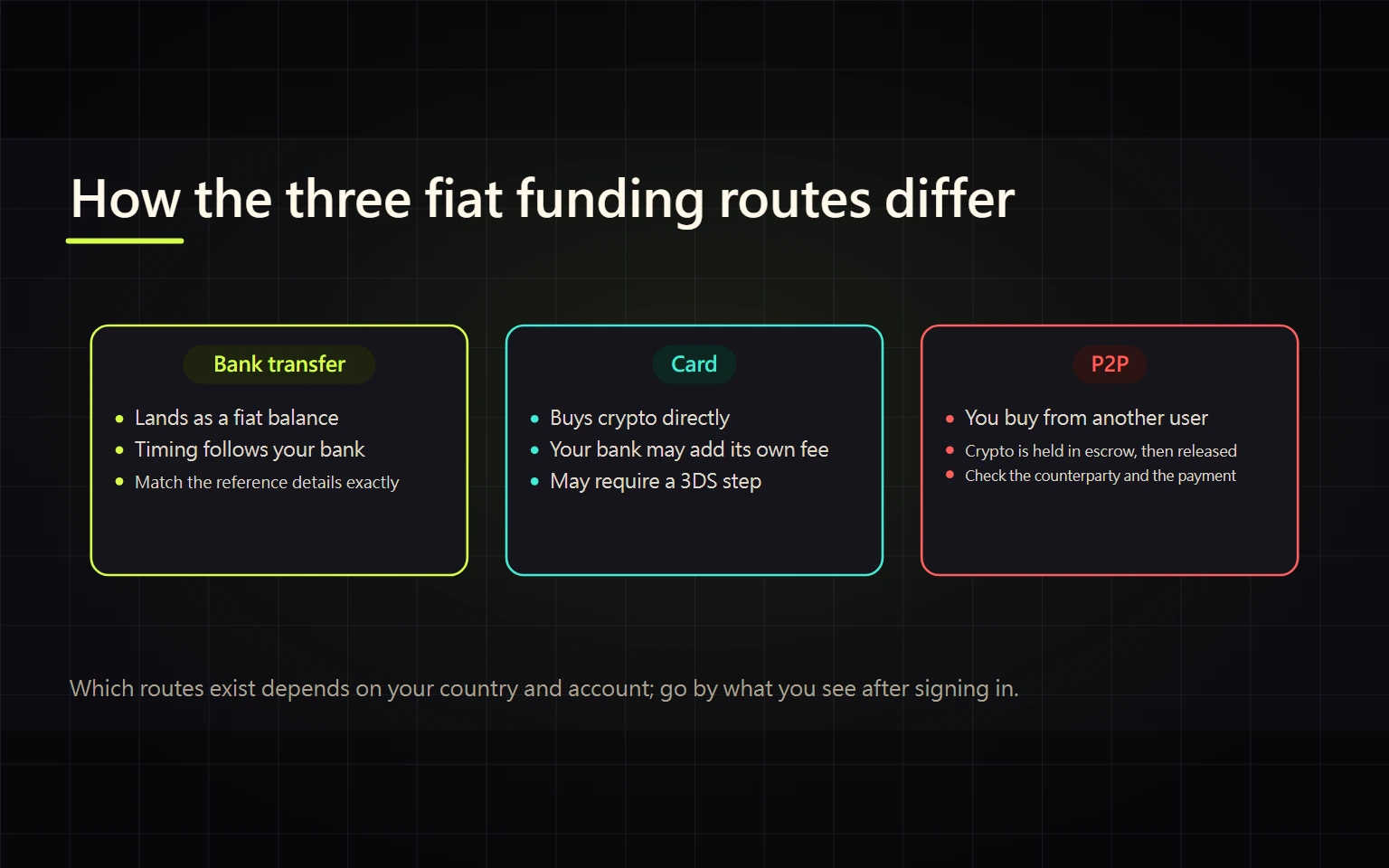
A “fiat deposit” can mean three different actions: depositing a fiat balance, buying crypto directly with a card, or buying from another user through P2P. Choosing the wrong route changes what you receive, what it costs, and how a failed payment is handled. This guide helps you select a route from the options genuinely available in your own account and complete a small test transaction.
Contents
- Define the outcome first
- Step 1: Check what is actually available
- Route A: Deposit fiat by bank transfer
- Route B: Buy crypto directly with a card
- Route C: Buy through Binance P2P
- Compare the real total cost
- Handle delays, failures, and duplicate holds
- Completion checklist
Define the outcome first
| Your goal | Entry point to inspect | Typical result | Critical check |
|---|---|---|---|
| Hold fiat inside Binance first | Deposit / Bank Deposit | Fiat balance | Currency, beneficiary details, sender name, reference |
| Receive USDT, BTC, or another asset directly | Buy & Sell / card purchase | Crypto asset | Quote, net amount, platform and issuer costs |
| Pay a local seller through a supported method | P2P marketplace | Crypto released from escrow | Ad terms, limits, counterparty record, appeal route |
These routes are not guaranteed to be available together. Another user's screen does not prove that your country, fiat currency, bank, card, or verification level is supported.
Step 1: Check what is actually available
- Sign in from Binance's official homepage and open the current funding, Buy & Sell, or Deposit menu.
- Select the fiat currency you really hold before reviewing payment methods.
- Record each method's minimum and maximum, estimated time, displayed fee, asset received, and refund or appeal route.
- Complete identity verification if the official page requires it. Do not borrow another person's identity, card, or bank account.
- If no payment method appears, there is no executable route on that screen for your current account. Do not send money to an unofficial “top-up agent.”
A public fiat deposit page existing does not prove that its currencies or methods are available to your account. Only the signed-in screen shows what you can actually use.
Route A: Deposit fiat by bank transfer
Use this route only if your account displays a bank deposit option and you want a fiat balance before buying crypto. The practical sequence is: sign in → open Deposit → choose Bank Deposit, fiat currency, method, and amount → read the beneficiary details for that specific order → transfer from your own bank account with the required reference → return to order history. A bank status of “sent” is not completion; the route is complete only when the fiat balance is credited. For every new order, verify:
- Beneficiary name, bank, account details, currency, payment reference, and any expiry. Read them from the current order instead of reusing an old screenshot.
- Whether the sending-account name must match your verified Binance identity. Avoid third-party transfers unless the current screen explicitly permits them.
- The minimum, maximum, expected processing time, and any distinction between instant and standard bank settlement.
- Fees shown by Binance plus possible sending-bank, intermediary-bank, and foreign-exchange charges.
Save the Binance order number and bank receipt. Redact names, account numbers, addresses, balances, references, and transaction identifiers before sharing evidence publicly. Begin with a small amount that meets the live minimum.
Four bank-deposit checkpoints
| Moment | Verify on Binance | Preserve from the bank | Do not do while incomplete |
|---|---|---|---|
| Before creating instructions | Fiat, method, minimum, maximum, estimate, and displayed fee | Your own account is usable in that currency | Do not transfer to any account yet |
| Before sending | Beneficiary, account details, reference, amount, and expiry from this newest order | Sender name matches the live identity rule | Do not reuse an old order, screenshot, or details sent in chat |
| Bank shows Sent | The order number remains visible in deposit history; Binance may still show Processing | Bank reference, time, amount, currency, and beneficiary | Do not treat Sent as a Binance credit or send again |
| Deposit is complete | Deposit history explicitly completes and the corresponding fiat balance increases | The posted transfer maps one-to-one to the order | If the records disagree, seek help from that record instead of creating a second test |
This guide deliberately does not reproduce a generic beneficiary-details screenshot. Those details can change by region, payment rail, and individual order and may contain banking information that should not be published. The only executable version is the one generated for your current signed-in deposit.
Route B: Buy crypto directly with a card
A card route normally buys crypto rather than depositing a fiat balance. The practical sequence is: open Buy & Sell → choose the payment fiat, crypto received, and amount → select or add a card in your own name → review the quote, fees, and validity window → complete issuer verification → check order history and the wallet named on screen. The route is complete only when the order is complete and the asset is credited. Before confirmation, the screen should let you identify the fiat amount paid, crypto and net amount received, quote or exchange rate, Binance-displayed cost, and the possibility of issuer costs such as foreign exchange, cross-border, or cash-advance treatment.
Use only a supported card in your own name. If 3-D Secure or issuer verification fails, do not submit the same order repeatedly. Check the name, billing details, currency, online-payment settings, and cross-border permissions, then contact the card issuer or official Binance support as appropriate.
Route C: Buy through Binance P2P
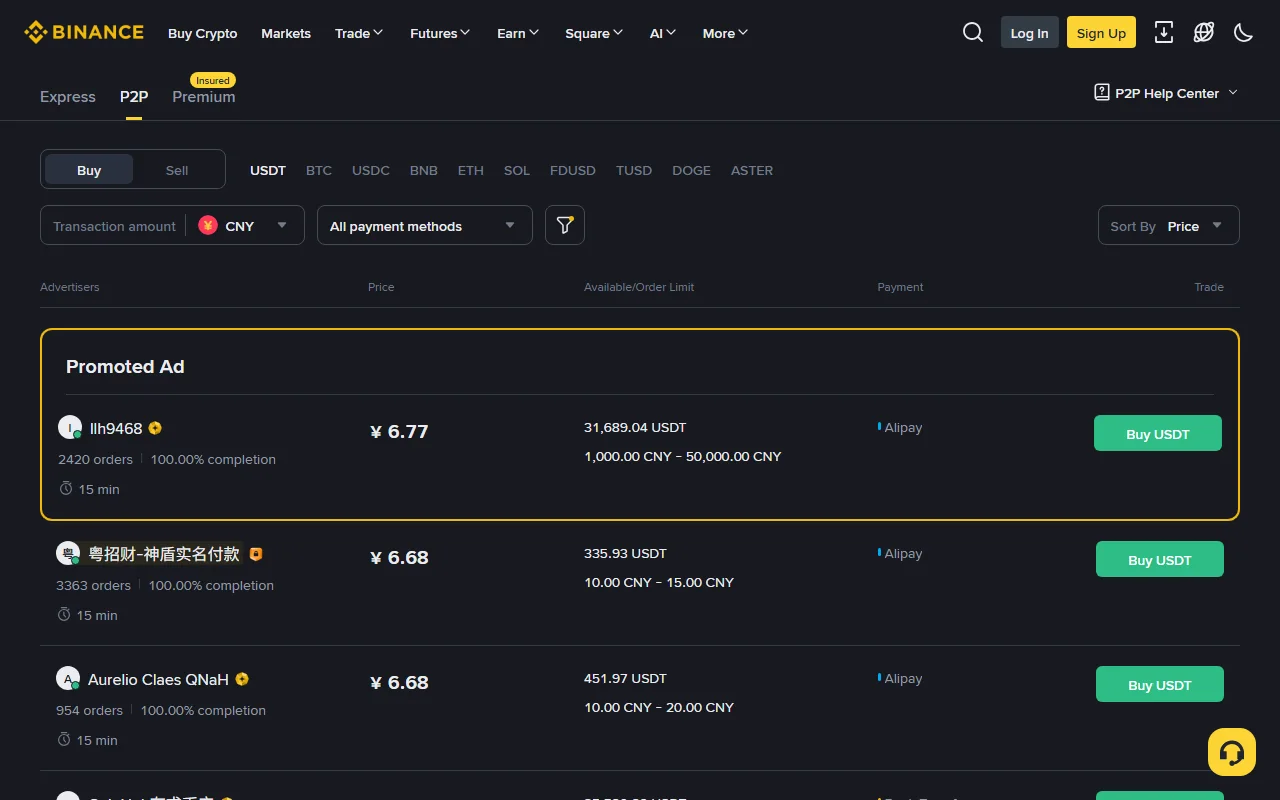
Real page capture: Binance's public P2P marketplace. Ads, prices, and advertisers change continuously; the image identifies interface fields and is not a recommendation.
P2P matches users with other users. Binance's escrow supports settlement, while the money transfer normally occurs through an external bank or payment service. The practical sequence is: complete identity verification → choose Buy, asset, fiat, amount, and payment method → review an ad and open the order → make the payment using the order details → mark it paid only after payment → wait for escrow release. Completion means the order is complete and the asset is credited to the wallet shown by Binance. Do not rank ads by price alone. Check:
- Whether your amount falls inside the ad's order limits.
- Whether the payment method is an account you personally control.
- The advertiser's order count, completion rate, payment window, and stated terms.
- The selected fiat, crypto, and Buy/Sell direction.
After opening an order, keep communication inside the Binance order. Mark the order paid only after you have actually paid. If you paid, do not cancel merely because the counterparty asks you to, and do not move the conversation to Telegram, WhatsApp, or another private channel. Use the platform's appeal process for a dispute.
Compare the real total cost
A “fee” label alone does not capture total cost. Record the same fields for every available route:
- Total fiat actually debited by the bank or card.
- Net fiat balance or net crypto ultimately credited.
- Quote-validity window, settlement time, and how long funds remain unavailable after a failure.
- Platform fee, bank fee, card-issuer fee, foreign-exchange cost, and the difference embedded in the quoted price.
For a route that delivers crypto directly, compare:
effective unit cost = total fiat actually debited / net crypto received
Compare routes at the same time, for the same asset and amount. Do not compare an old quote with a current ad, and do not treat “zero fee” as proof that there is no spread or external cost.
Handle delays, failures, and duplicate holds
A bank transfer is missing
Check the Binance order status, payment reference, sender name, currency, amount, and the bank's processing window. Do not send a second transfer while the first is unexplained. After the live estimate has passed, contact support from the official order history and provide a receipt with unnecessary sensitive data redacted.
A card is declined or shows two pending holds
Check order history and distinguish Failed, Processing, and Completed. A pending authorization is not necessarily a final charge. Do not keep retrying. Record the order ID and ask both the issuer and official Binance support which side controls the hold.
You paid for a P2P order but crypto was not released
Do not cancel the order. Keep evidence in the order chat and open an appeal. Reject requests for an off-platform refund, extra transfer, or “unfreezing fee.”
No method is available
Your location, fiat, verification state, or current service coverage may not match the route. Review other lawful options shown by official Binance pages. Do not use a VPN, private top-up service, or an unknown personal account to bypass restrictions.
Completion checklist
- You can distinguish a fiat balance deposit, direct card purchase, and P2P trade.
- The selected route is visible in your own signed-in account and allowed for your location.
- You recorded total debit, net asset received, limits, estimated time, and the dispute route.
- Bank or card ownership meets the live KYC requirement, with no payment to an unknown third party.
- The first transaction is a small test, and you will wait for a clear status before starting another.
Official sources and risk note
- Binance fiat deposit entry
- Binance P2P marketplace
- Binance Academy deposit and withdrawal guide
- Binance Academy Beginner's Guide
This guide was checked against publicly accessible official pages on 2026-08-27. Payment methods, currencies, limits, fees, and processing times vary by location, verification status, bank, and live system availability; the signed-in confirmation screen controls. This is general educational information, not investment, legal, or tax advice.