
Account & Security
Binance Sign-Up Guide: Referral Code BN5711 and the New-User Rebate Conditions
Register with the invitation link or code BN5711, see what the referral program actually gives a new user and where to check it, then secure and verify the account.
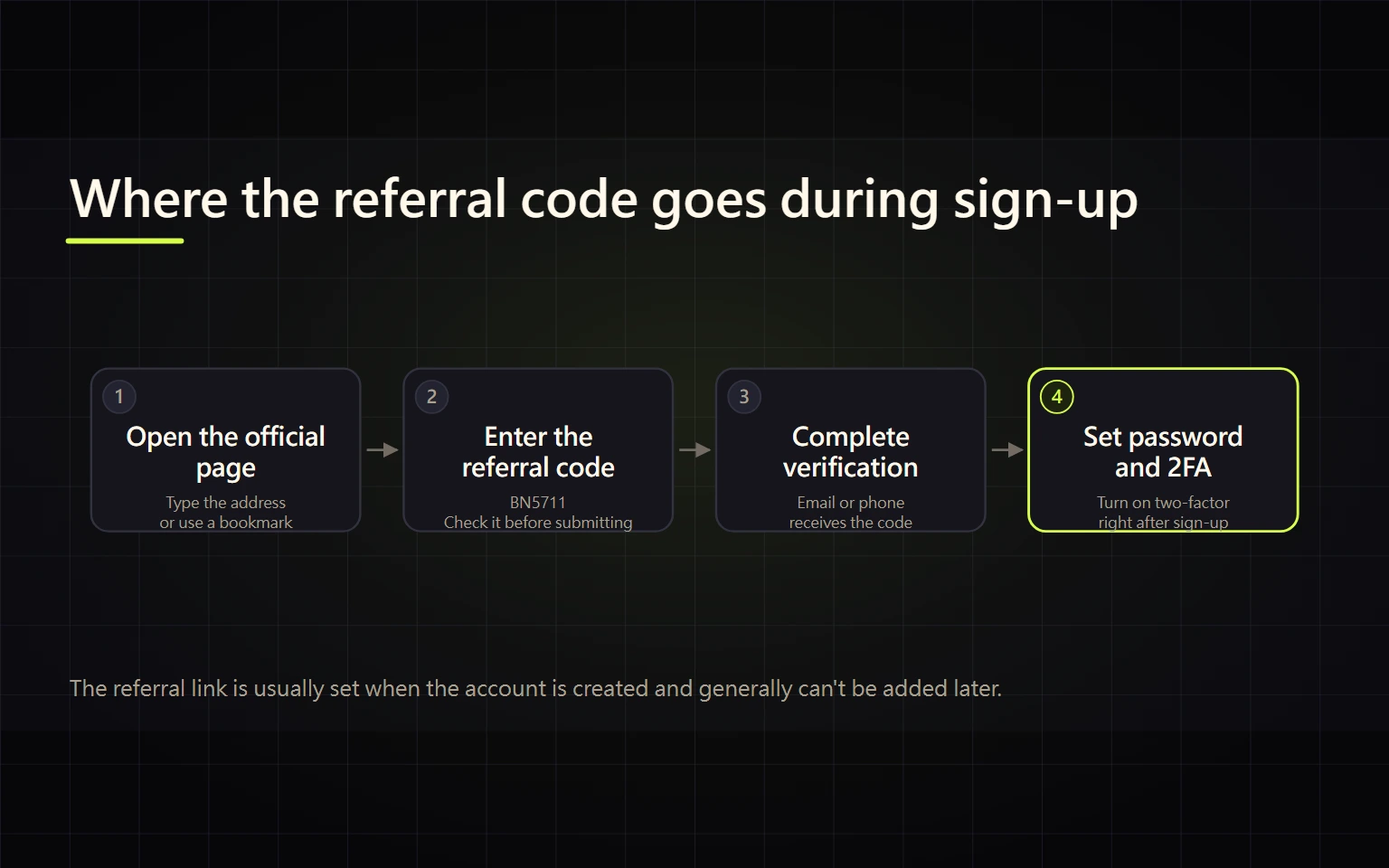
This guide is for a first-time user who wants to register with referral code BN5711, check the available transaction-fee benefit, and secure the new account before funding it. Confirm the referral information before submitting, then complete identity verification and the first security checks in order.
Promotional link. Crypto trading involves risk and is not investment advice.
Contents
- What to prepare
- Use referral code BN5711
- Create the account
- Secure the account before funding it
- Troubleshooting and stop conditions
- Completion checklist
What to prepare
Use an email address or phone number you expect to control for the long term. Protect the email account with its own multi-factor authentication, because it may receive security alerts and recovery messages. Prepare a password manager and do not reuse a password from email, banking, social media, or another exchange.
Use referral code BN5711
Binance runs two referral modes, and each new user is attached to only one of them, so what you receive depends on which mode applies:
- Referral Lite: the new user can earn trading-fee rebate vouchers by completing two tasks within 14 days of registering — cumulative crypto purchases over $50, and cumulative trading over $100 on Spot or Convert. A voucher is issued after each task, up to about $1,100 equivalent in total. Identity verification is required to redeem, and a voucher expires if it is not redeemed within 7 days of distribution.
- Referral Pro: the referrer earns commission from the referred user's trading fees and can set what percentage of that commission is shared back with the referred user.
Binance does not publish which mode a particular code uses, so no third party — this site included — can tell you in advance what your account will receive. Binance's own referral activity pages also state that the service may be unavailable in some regions.
Sign up with referral code BN5711
Checked on 2026-10-08: the registration page opened from that link does not display the referral code on screen. Its absence therefore does not prove the referral was not applied, and seeing it is not something you can count on. The place you can actually check is inside the account after registration:
- whether the Referral page shows that your account is attached to a referral;
- whether the Rewards Hub shows a trading-fee rebate voucher, with its value and expiry;
- the actual rate shown on your fee page.
What those three screens show is what you actually have. A referral normally has to be in place before the account is created, so do not rely on adding it afterwards.
Create the account
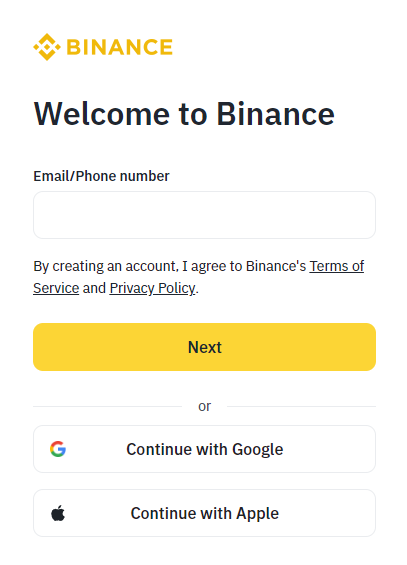
Real system screenshot from the Binance Academy beginner guide updated on 2026-04-22. No personal information is entered; fields and buttons can vary by version.
- Enter an email address or mobile number on the Binance registration page, or use a third-party sign-in option actually offered on that page.
- Read the privacy notice and applicable terms. Personal users should not accidentally choose the entity-account route.
- Enter the verification code only on the registration page. Support agents, referrers, editors, and helpers do not need it.
- Follow the current prompt to create a strong, unique password and store it in a password manager.
- After the account is confirmed, close uncertain redirects and sign in again from the Binance homepage.
Button labels and sequence can change between the web interface and the app. Follow the fields shown on the current screen.
Secure the account before funding it
Do not make a large deposit immediately. First:
- Enable a passkey or authenticator-based 2FA where available; avoid relying on SMS alone.
- Review recognized devices and security-notification channels.
- Set an anti-phishing code if your account offers it.
- Check identity-verification requirements from the account center and submit documents only through the Binance app or website.
- Use a small test amount for the first deposit or withdrawal and retain the order record.
Troubleshooting and stop conditions
The verification code does not arrive
Check spam folders, mail rules, the phone country code, and the network connection. Wait for the page's resend timer instead of repeatedly requesting new codes. Never send a screenshot of a code to another person.
No reward appears in the account
Check whether the conditions have been met before assuming something failed. Under Referral Lite both tasks must be completed within 14 days of registration, each voucher is issued only after its own task completes, and identity verification is required before a voucher can be redeemed. If the conditions are met and nothing has appeared, check the Rewards Hub and the Referral page in your account, then ask official Binance support, quoting your registration date and what the account currently shows.
Someone requests remote access, screen sharing, a password, or a one-time code
Stop immediately. Remove remote-access software, change any exposed password, and review device and login activity from the account security page.
Completion checklist
- You registered through this article's referral link, or entered BN5711 during sign-up.
- You know the reward can only be confirmed on your own Referral page and Rewards Hub, and that no site can guarantee an amount for you.
- Email and account passwords are unique, and additional authentication is enabled.
- You signed in again from a Binance sign-in page and reviewed devices.
- You have not made a large transaction before understanding funding, fees, and withdrawal rules.
Recommended next steps
- Secure the new account
- Complete identity verification
- Compare bank transfer, card, and P2P funding
- Understand Spot, Funding, and Binance Wallet
- Learn the Spot trading interface
- Calculate fees, spread, and slippage
- Check networks and addresses before withdrawal
- Troubleshoot missing funds and scams