
Account & Security
How to Back Up a Seed Phrase Safely: Writing It Down, Where to Keep It, and Scams to Spot
Lose your seed phrase and the wallet is gone; let someone see it and the funds are gone. How it differs from an exchange account, how to write and test a backup, where to store it, and what to do if it leaks or goes missing.
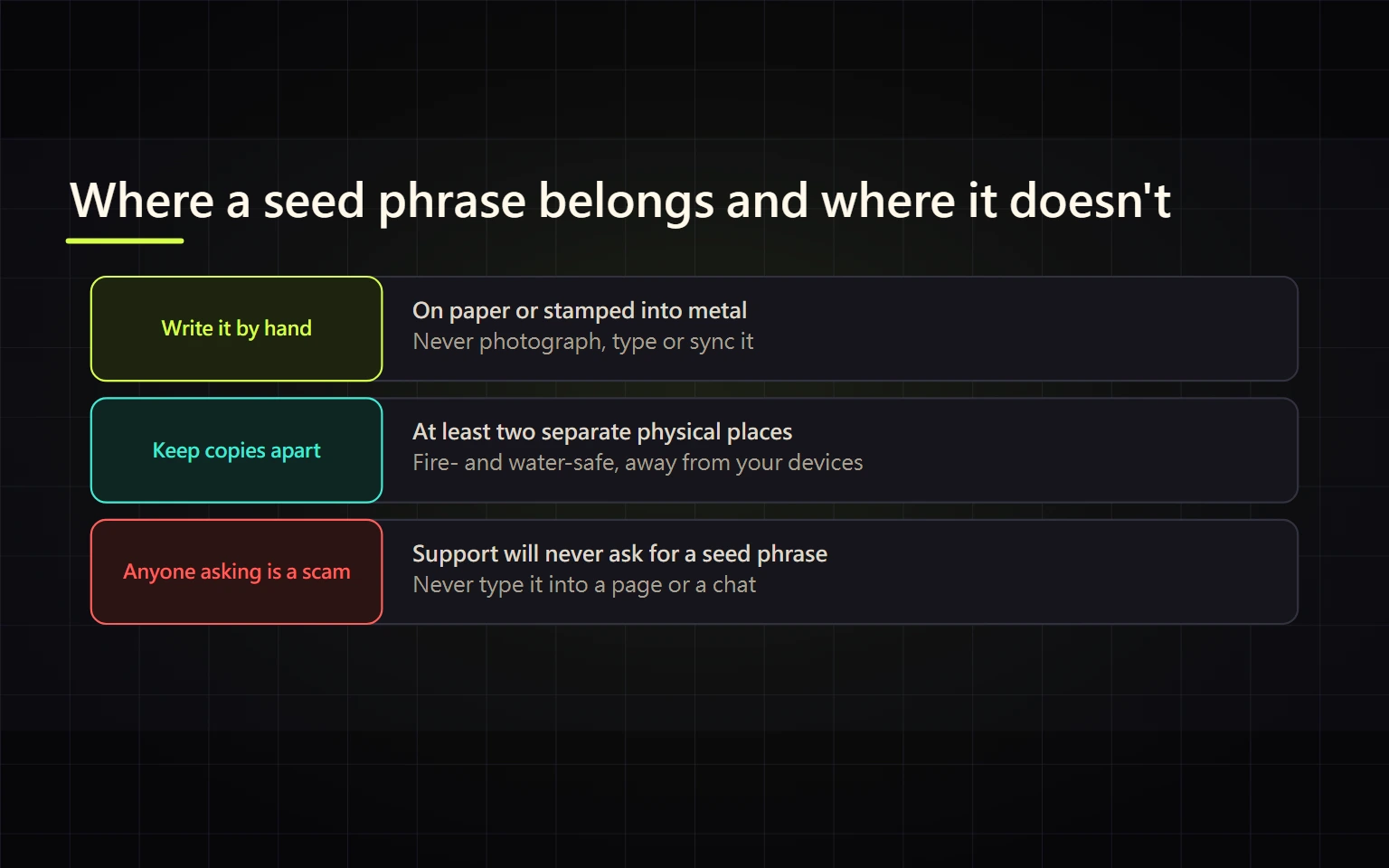
A seed phrase (also called a recovery phrase or Secret Recovery Phrase) is the master key to a self-custody wallet. Anyone who has those 12 or 24 words can restore your wallet on any device and move the funds; if you lose them, the wallet provider cannot recover them for you. A backup therefore has two jobs: you can always get it back, and nobody else can get to it. The safest baseline is to write it by hand on paper, check every word and its order, keep it offline, and never photograph it, store it in the cloud, or hand it to anyone.
One thing to check first: if your crypto sits in an exchange account (for example Binance Spot or Funding), there is no seed phrase. That account is protected by your password, 2FA and the exchange's official account recovery process. Seed phrases belong to wallets you create yourself, such as MetaMask, Trust Wallet, Binance Wallet in seed-phrase mode, or a hardware wallet. If you are unsure which side your funds are on, start with where your funds actually are on Binance.
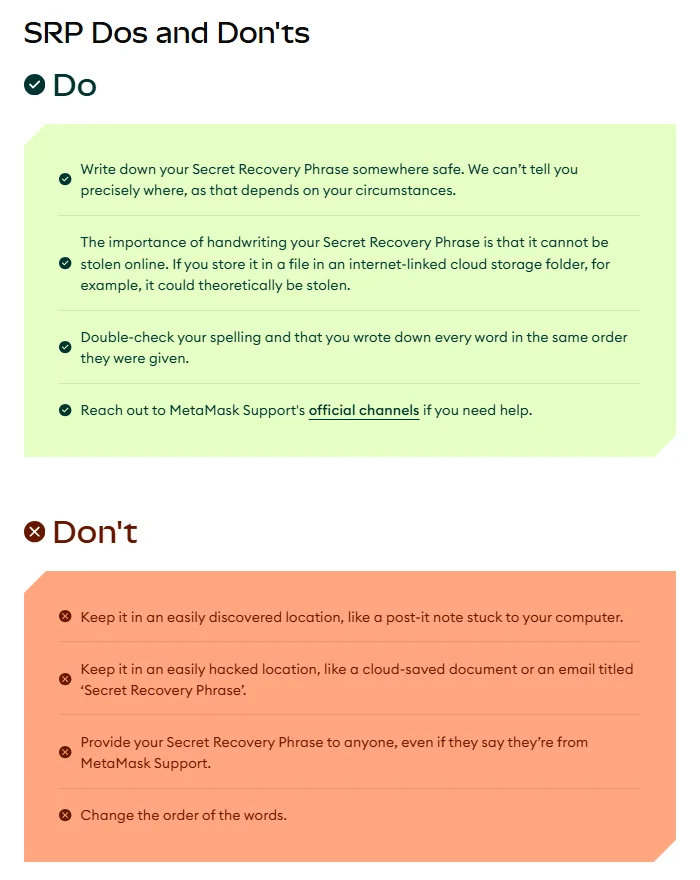
Source: MetaMask Support, "How to secure your Secret Recovery Phrase and password", captured 2026-10-06.
What a seed phrase is, and why losing it is final
Most wallets follow BIP-39, a Bitcoin community specification:
- Words come from a fixed list of 2,048 words, and a phrase can only be 12, 15, 18, 21 or 24 words long.
- The last word carries a checksum, so a single wrong word usually makes the wallet reject the phrase as invalid instead of opening an empty wallet.
- The English list is designed so the first four letters identify each word uniquely. That is why a metal backup with only the first four letters of each word is still enough to restore.
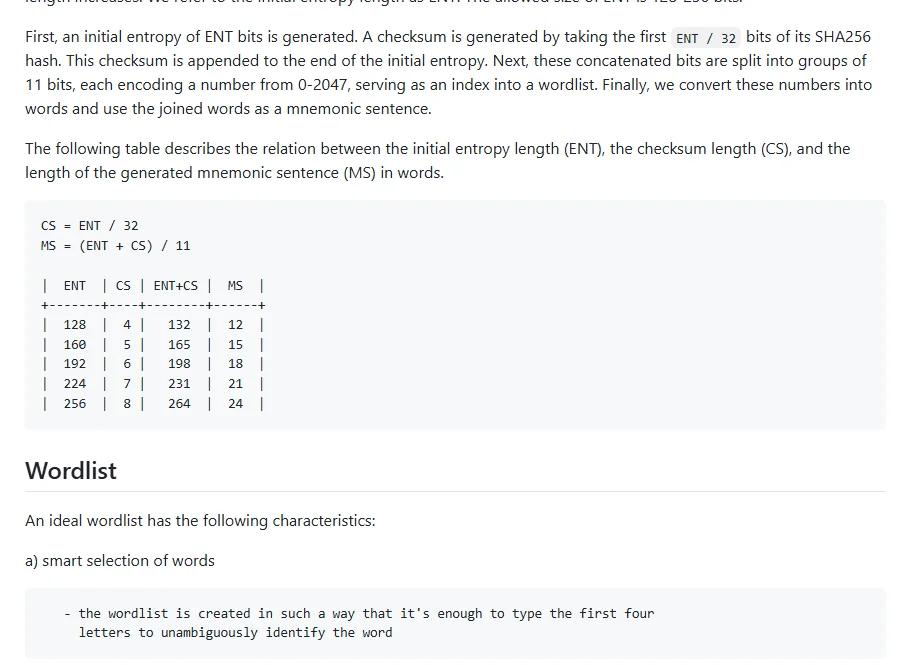
Source: BIP-0039 in the bitcoin/bips repository on GitHub, captured 2026-10-06.
MetaMask's guide is direct about it: a new MetaMask wallet gets a 12-word phrase, some wallets use 18 or 24 words, every account in the wallet is derived from that phrase, and MetaMask cannot recover your wallet for you. The wallet password only unlocks the app on one device. If you forget the password you can reset it with the phrase; it does not work the other way round.
Writing it down so the backup actually works
- Do it somewhere private with no cameras, and close screen-sharing or recording apps.
- Use pen and paper. MetaMask points out that a handwritten copy cannot be stolen online, while a file in an internet-linked cloud folder could in theory be stolen.
- Number the words 1 to 12 (or 24) and write clearly. Slow down on letters that are easy to confuse, such as a/o or u/v.
- Check spelling and order word by word. The same words in a different order are a different phrase.
- Finish the wallet's confirmation step (such as tapping the words in order). Do not choose "remind me later".
- Test a restore with a small balance. Before you move larger amounts in, restore the wallet from your paper copy on another device, or after reinstalling the app, and confirm the addresses match. Only a successful restore proves the paper copy is usable.
Where to keep it: trade-offs
| Method | Problem | Recommendation |
|---|---|---|
| Phone photo or screenshot | Photo libraries often sync to the cloud; a hacked or repaired phone leaks it | Don't |
| Cloud doc, email draft, notes app | MetaMask lists these as easily hacked places, especially a file titled with the words "recovery phrase" | Don't |
| Password manager | Only as safe as the master password and device; one breach exposes everything at once | Maybe for small wallets, not for large balances |
| Paper hidden at home | Fire, water, loss, a family member throwing it away | Baseline; add a waterproof bag |
| Metal backup plate | Survives fire and water, costs more and takes patience to stamp | Worth it for larger holdings |
| Two paper copies in two trusted places | One more place where it can be seen | Reduces single-point loss, but you must control both places |
MetaMask also warns against obvious spots like a sticky note on your computer. As for the exact location, its own wording is that it cannot tell you precisely where, because that depends on your circumstances. There is no single right answer; the rule is that you can reach it and others are unlikely to find it.
If your wallet offers an extra passphrase (sometimes called the "25th word"), know how BIP-39 treats it: every passphrase produces a valid wallet, and only the correct one opens your funds. A typo gives no error; you just see an empty wallet. If you use one, back it up as carefully as the phrase itself. Beginners can skip it until they understand it.
Signs someone is trying to get your seed phrase
You only ever type your phrase when you restore a wallet, inside an official wallet app you installed yourself. Stop if you see any of these:
- Someone claiming to be support, an admin or exchange staff asks for the phrase to "verify" you or "unlock" funds. MetaMask says plainly not to give it out even to someone who says they are from MetaMask Support.
- A website pops up "wallet sync", "claim airdrop" or "fix wallet" and asks for 12 or 24 words.
- Someone sends you a wallet that is "already set up" with a phrase and asks you to deposit into it. They already hold those words.
If you have already typed or handed over the phrase, treat that wallet as compromised: create a brand-new wallet with a new phrase right away, move whatever is left, and stop using the old one. Changing the password does nothing, because the attacker has the phrase itself. If someone later offers to recover the funds for an upfront fee, that is a second scam; see being asked to pay tax or an unlock fee before withdrawing.
Exchange accounts have no seed phrase, but the same trick shows up as requests for your password, 2FA codes or a QR login scan. The protective settings are covered in the Binance account security checklist.
If you can't find your seed phrase
- The wallet still opens with your password: some wallets, MetaMask included, can reveal the phrase again from the security settings after you enter the password. Write a new paper copy and run a restore test. If you are not sure whether an old copy was seen by someone, create a new wallet and move the funds.
- The wallet won't open and the phrase is gone: the provider does not have your phrase and support cannot restore it. All you can do is search for every possible copy. Treat any service that claims it can "crack" or "recover" a phrase with deep suspicion.
- You remember only some words or are unsure of the order: don't paste a partial phrase into any website or give it to a stranger to "work it out".
Done when
- I know whether my funds are in an exchange account or a self-custody wallet, and which wallets have a seed phrase.
- Every phrase has a handwritten copy, checked for spelling and order, and I have restored from it at least once.
- No photo, screenshot, cloud document or email contains the phrase.
- If I use a passphrase, it is backed up just as reliably.
- Anyone who asks me for my seed phrase is running a scam.
Sources
- MetaMask Support: How to secure your Secret Recovery Phrase and password (support.metamask.io, accessed 2026-10-06)
- BIP-0039: Mnemonic code for generating deterministic keys (github.com/bitcoin/bips)