
Account & Security
Address Poisoning: What a Zero-Value Transfer Means and How to Check an Address Before Sending
A look-alike address and a zero-value transfer in your wallet history mean someone hopes you will copy the wrong address next time. How it works, a checking routine, and what to do if you already sent.
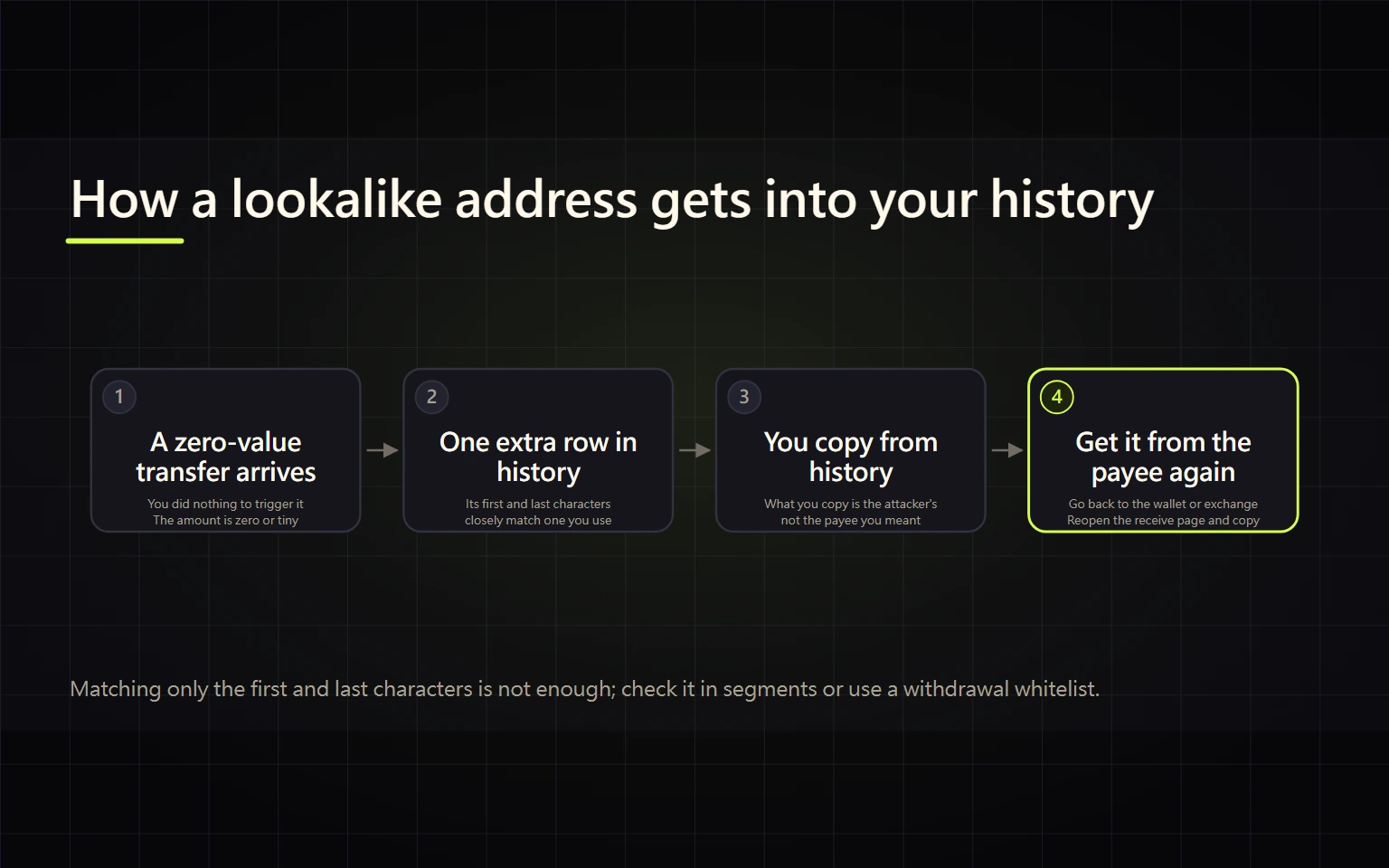
Address poisoning is a scam that never touches your private keys. The attacker watches an address you send to, generates a look-alike address with the same first and last few characters, then sends your wallet a tiny or zero-value transfer from it so the fake address shows up in your transaction history. The next time you copy an address from that history to save time, the funds go to the attacker. If you have spotted one of these odd little transfers, your wallet has not been hacked. What needs to change is where you get receiving addresses from and how you check them.
This guide is for anyone who moves crypto on-chain themselves: withdrawing from an exchange to a wallet, depositing from a wallet to an exchange, or moving funds between wallets.
Which situation are you in?
| What you see | What it means | What to do |
|---|---|---|
| A 0 or tiny transfer from an unknown address that looks like one you use | The setup step of a poisoning attack | Leave it alone and stop copying addresses from history |
| An unfamiliar token whose name or memo asks you to visit a site to "claim" | A fake-airdrop lure that often comes with poisoning | Don't click, approve, or try to sell it |
| You already sent funds, the TxID shows success, but the recipient says nothing arrived | You may have sent to a look-alike address | Jump to "If you already sent to the wrong address" |
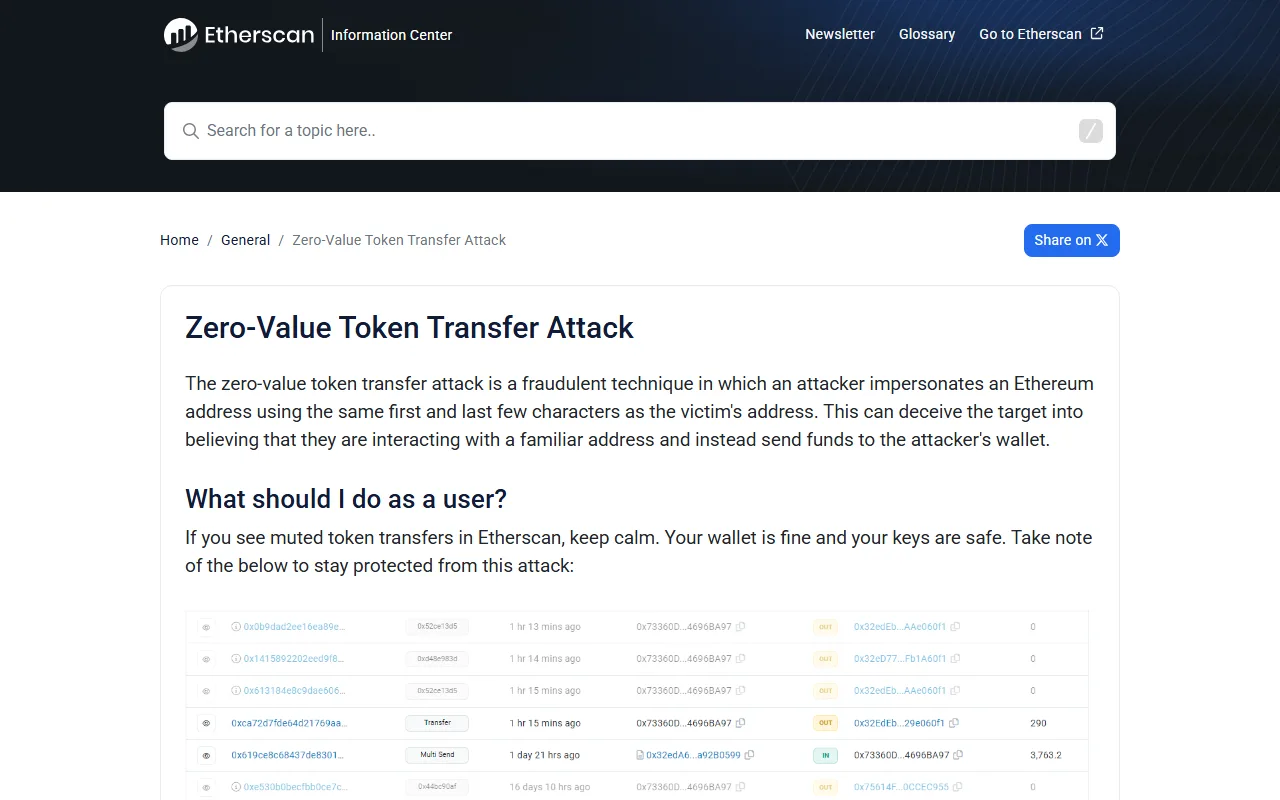
Etherscan says it plainly: if you see these muted transfers, "keep calm. Your wallet is fine and your keys are safe." The attack targets your next manual transfer, not your current balance.
Why matching the first and last characters is not enough
Wallets and block explorers often shorten addresses to something like "first 6 … last 4", and many people only check those two ends. Attackers use software to churn out addresses until the ends match an address you use.
Teaching example (both addresses below are made up to show how the comparison works):
- The address you use:
0x7A3c52e1d0b9…9F1e - The fake:
0x7A3cb81f4a07…9F1e
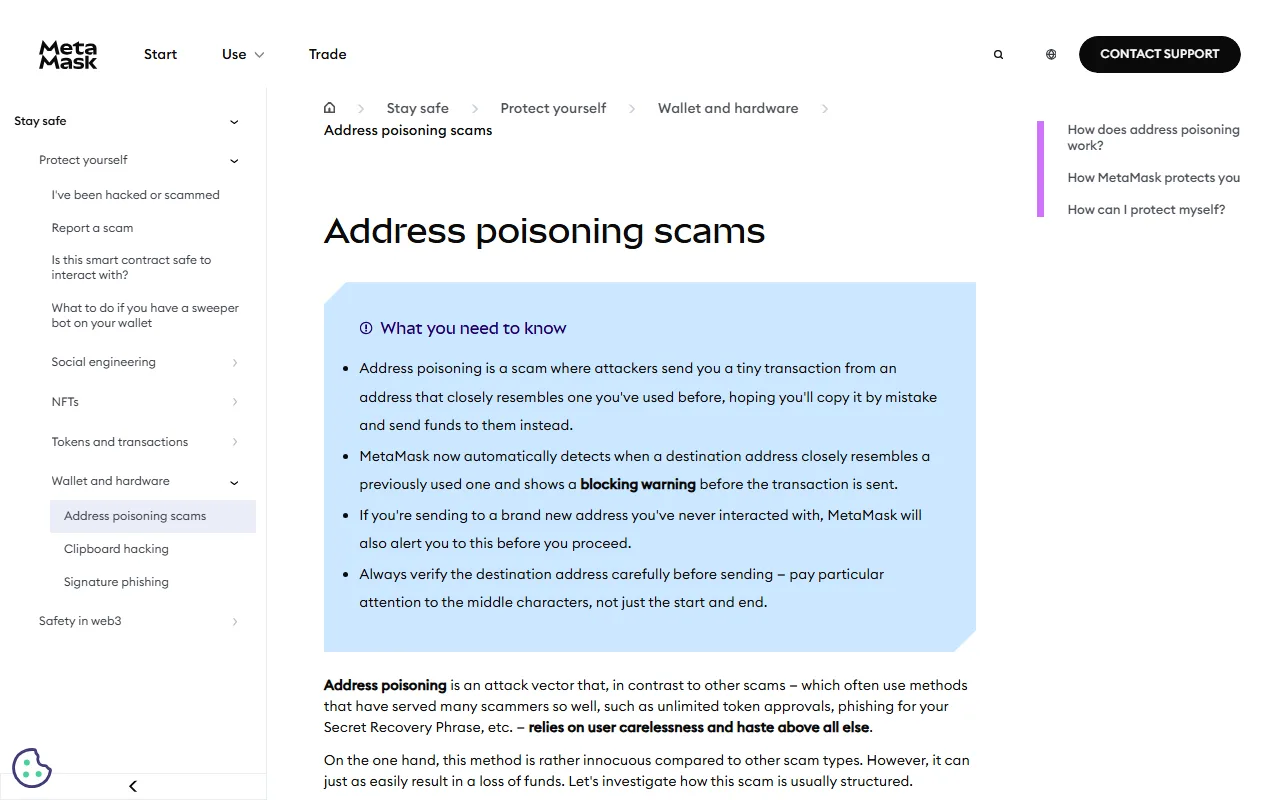
Shortened to 0x7A3c…9F1e, they are identical. Only the middle differs. MetaMask's support page makes the same point: pay attention to the middle characters, not just the start and end.
Etherscan also describes the zero-value token transfer variant: the attacker sends a token transfer of 0 so the history looks like you have dealt with a familiar address. Etherscan mutes these transfers and marks them with a grey warning icon, but not every wallet or explorer does that.
A checking routine for every transfer
- Get the address from its source, never from history. If the destination is your exchange account, log in and copy it again from the deposit page. If it is another person, ask them to send it again, ideally confirmed through a second channel you already use with them.
- Save regular destinations in an address book or withdrawal whitelist. Fetch and check the address from its source when you save it; afterwards pick it from the list instead of pasting. For how an exchange whitelist works, see withdrawing crypto with networks, whitelists, and test transfers.
- Check the full address in chunks. After pasting, split it into 4–5 groups and compare each against the source, including at least one group from the middle.
- Test first for large amounts, and wait for the recipient to confirm. A "completed" status on your side proves nothing, because a transfer to the wrong address also completes. Send the second transfer only after the recipient sees the deposit in their own account, and take the address for it from your address book or the source again, not from the test transaction.
- Stop when the wallet warns you. MetaMask now shows a blocking warning when the destination closely resembles an address you have used, and also flags addresses you have never sent to. Go back to the source before you continue.
Once step 2 is in place, the only moment that really needs care is when you first save an address. Concentrating your attention there works better than being nervous on every transfer.
What to do with an unexpected tiny or zero-value transfer
- You don't need to move it or "send it back". Any interaction can add another look-alike entry to your history.
- Don't try to sell, swap, or approve unknown tokens. Tokens whose names point you to a website are a separate scam.
- Most wallets let you hide tokens or mark spam. Hiding only cleans up your screen; it doesn't change the on-chain record.
- Treat the look-alike address as blocked from now on. If it ever made it into your address book, delete it.
If your funds sit on an exchange, the same rule applies when you move coins back: take the address from the exchange's deposit page. For the account-side protections, see the account security checklist covering passkeys, 2FA, and withdrawal protection.
If you already sent to the wrong address
A confirmed blockchain transfer cannot be reversed by you. What you can do:
- Stop any further transfers and re-confirm the correct address from its source.
- Record the TxID, time sent (with time zone), amount, coin, and network, and confirm on a block explorer that the funds went to the look-alike address.
- If you withdrew from an exchange, send those details to its support and explain it was sent to a look-alike address. Someone can only step in if the receiving address is within reach of an exchange or a token issuer, and nobody can guarantee recovery.
- Report it to the police or the relevant authority where you live, keeping your screenshots and records.
- If someone later messages you offering to "recover" the funds for an upfront fee, that is another scam; see paying a "tax" or "unlock fee" before a withdrawal.
Sources
- Etherscan Information Center: Zero-Value Token Transfer Attack (info.etherscan.com)
- MetaMask Support: Address poisoning scams (support.metamask.io)
- Trust Wallet Glossary: Address Poisoning (updated 2026-09-25)