
Assets & Risk
How to Withdraw Crypto From Binance: Networks, Whitelists, and Test Transfers
Match the recipient address, network, Memo/Tag, fee, and net amount, then use whitelisting, a valid test withdrawal, and transaction status to verify receipt.
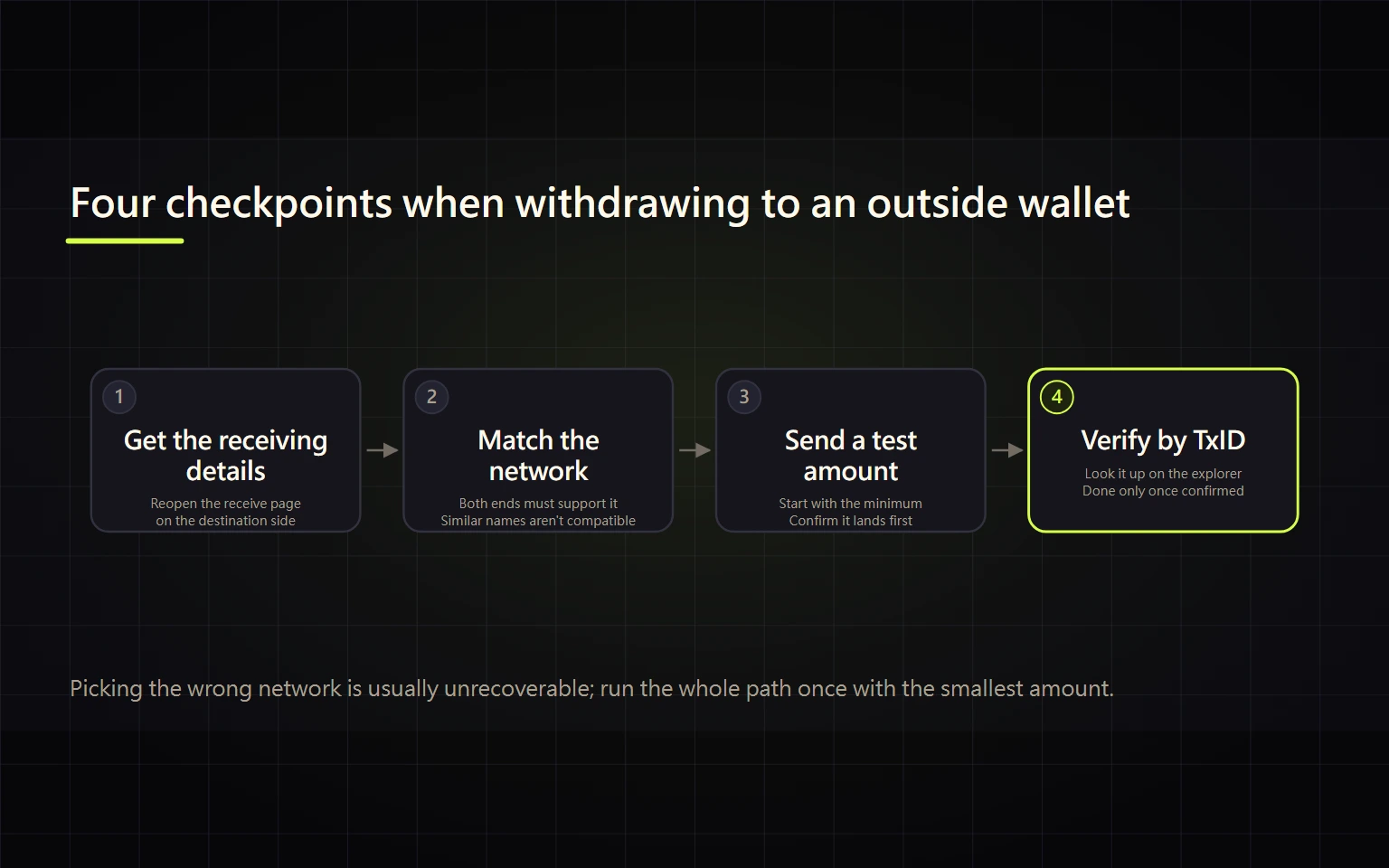
This guide covers one task: withdrawing cryptocurrency from Binance to an external wallet or another exchange. It does not cover selling crypto for cash or withdrawing fiat to a bank. Those are different routes with different regional and counterparty risks; use the sell and fiat withdrawal guide for that goal.
On-chain withdrawals are generally irreversible. A safe process begins on the receiving side: confirm the asset, network, address, Memo/Tag, and deposit status, then review Binance’s live minimum, fee, net receipt, and security requirements. The task is complete only when the receiving platform credits a usable balance.
Table of contents
- Prepare the receiving details first
- Open the crypto withdrawal flow
- Match the address network and Memo
- Review amount fee and net receipt
- Use a withdrawal address whitelist
- Make a valid test withdrawal
- Handle Travel Rule and extra verification
- Know when the withdrawal is complete
- Troubleshoot by status
- Completion checklist
- Official sources and verification date
Prepare the receiving details first
Do not open the Binance withdrawal form and guess the network from there. Start at the receiving wallet or exchange:
- Reopen the deposit or receive page for the exact asset. Do not rely on an old chat message or saved address.
- Record the networks that the receiving platform currently supports for that asset.
- Copy the complete address. If the page provides a Memo, Tag, Payment ID, or another destination identifier, save it as well.
- Check the receiving minimum, required confirmations, and whether deposits are currently suspended.
- For a self-hosted wallet, confirm that you control the address and understand which native asset will pay gas when you later move the funds.
Stop if any field is unclear. A matching ticker does not prove that two networks are compatible.
Open the crypto withdrawal flow
Use the official Binance app or website. From Assets, choose Withdraw, then Withdraw Crypto. Do not enter from a search ad, email button, Telegram message, or unsolicited support link.
The official Academy guide walks through the crypto-withdrawal form in the order asset, address, network, amount. Fields and labels can change by region and version.
The usual order is asset → external address → network → amount → review → security verification. Some accounts also receive beneficiary, wallet-type, Travel Rule, or risk-control questions. Answer them accurately rather than attempting to bypass the workflow.
Match the address network and Memo
Address
After pasting, compare the displayed address with the receiving page. At minimum, verify the beginning and end. If the clipboard value changes after pasting, stop and treat the device as potentially compromised. Avoid copying a look-alike address from old withdrawal history; address-poisoning attacks exploit that habit.
Network
The withdrawal network on Binance must be the same blockchain that the receiving deposit page supports. A lower fee is not evidence of compatibility. If the platforms use different labels and you cannot prove they refer to the same chain, consult the receiving platform’s official documentation or support before sending.
Memo or Tag
If the receiving platform provides a Memo, Tag, Payment ID, or similar identifier, enter it exactly. It is not a casual note: custodial platforms may use one shared blockchain address and rely on the identifier to assign the deposit to your account. A self-hosted address may not require one; the live receiving page is the authority.
Review amount fee and net receipt
Read three values together: the amount you request, the fee displayed for the selected network, and the amount the recipient is expected to receive. These values change with the asset, network, and platform status, so never reuse a fixed number from a tutorial.
Before confirming, make sure:
- The amount exceeds Binance’s current withdrawal minimum.
- The net amount after fees exceeds the receiving platform’s deposit minimum.
- You are not accidentally using “Max” without leaving enough for your intended purpose.
- The network is available and the confirmation page shows no unresolved address, risk, or compliance warning.
If the fee consumes most of a test amount, compare only networks that the recipient explicitly supports. Never choose an incompatible chain just because it is cheaper.
Use a withdrawal address whitelist
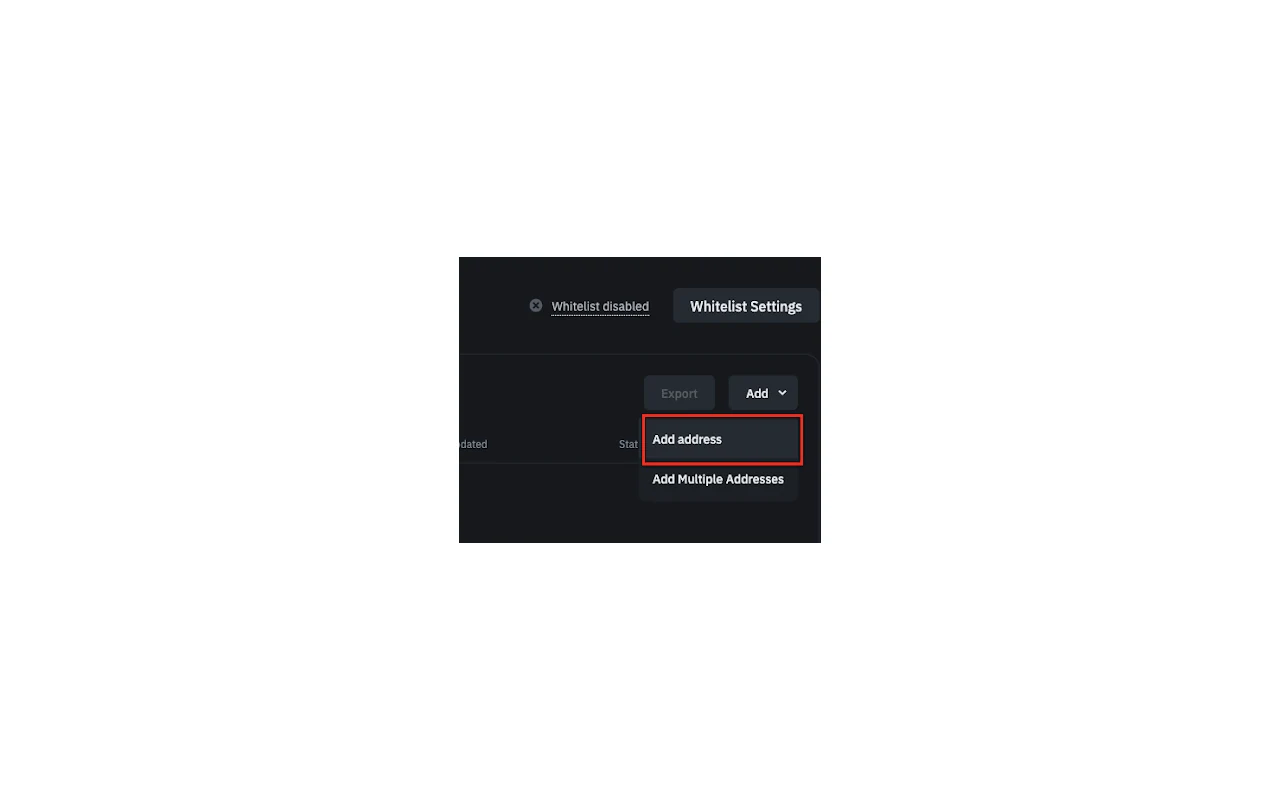
Source: a real Binance interface screenshot from the official Academy Travel Rule guide. The list is empty and shows no user address or account data.
A withdrawal address whitelist is an optional security control. When enabled, withdrawals to unapproved addresses are normally blocked. It is not absolute protection: if email, authentication factors, or the account itself are compromised together, risk remains.
For a destination you control and use repeatedly:
- Open Address Management or the withdrawal whitelist from account security.
- Use a recognizable label that does not disclose sensitive information.
- Select the correct asset and network, then paste the address. Save any required Memo/Tag with it.
- Complete the security confirmation shown by your account.
- If the page imposes a waiting or cooling-off period, wait until the address is explicitly usable.
The delay and menu names can change; this guide does not promise a fixed number of hours. Recheck every withdrawal even when the address is whitelisted.
Make a valid test withdrawal
For a new address or network, send a small amount that can actually be credited. It must be:
- Above Binance’s withdrawal minimum;
- Large enough to cover the displayed fee;
- Above the receiver’s deposit minimum after fees; and
- Small enough that a mistake would not create an unacceptable loss.
Do not send the main amount immediately after submission. Wait for blockchain success, the receiving platform’s required confirmations, and a usable credited balance.
A user-initiated test withdrawal is not the same as Binance’s Satoshi Test. The latter may appear in certain jurisdictions or transactions as a Travel Rule address-control verification. Complete it only when the live compliance flow requires it; do not describe it as a universal step.
Handle Travel Rule and extra verification
Depending on region and account, Binance may ask for beneficiary details, wallet type, receiving platform, jurisdiction, or other Travel Rule information. Security approval may involve an authenticator, email, passkey, or another factor. The exact combination is not fixed.
Use the true recipient and wallet type. Stop when:
- Account data and the real beneficiary do not match;
- You cannot tell whether the destination is self-hosted or custodial;
- Someone asks for an off-platform verification code, remote access, or an unlock payment; or
- A Satoshi Test appears but you cannot identify its purpose or return route.
Do not enter false data or switch regions to evade a compliance step. Open support from the official app or website and preserve the case reference if you need assistance.
Know when the withdrawal is complete
Submission and receipt are different events:
| Status layer | What it means | What to do |
|---|---|---|
| Submitted or Processing | Binance accepted the request or is reviewing/queuing it | Do not duplicate it; read the account message |
| Transaction ID available | The transfer was broadcast or can be tracked on-chain | Open the explorer for the selected network |
| Blockchain Success or Confirmed | The on-chain transfer succeeded and confirmations are accumulating | Wait for the receiving platform’s confirmation policy |
| Recipient balance available | The receiver assigned and credited the deposit | The task is actually complete |
A transaction ID does not mean the recipient has credited the account. Even blockchain success can remain uncredited because of a missing Memo/Tag, a deposit minimum, or the recipient’s confirmation policy.
Troubleshoot by status
Processing with no transaction ID
Check withdrawal history for network maintenance, risk review, or a request for additional information. Do not submit a duplicate. If it remains unresolved, contact official support with the withdrawal record and displayed status; avoid posting complete account or address details publicly.
Transaction ID exists but is not confirmed
Use the block explorer for the selected network. A pending transaction may reflect network or node conditions. After Binance broadcasts it, you normally cannot cancel it or change the network from your account.
Blockchain success but no credit
Contact the receiving platform with the asset, network, transaction ID, amount, time, and required Memo/Tag. Redact account identifiers in public channels. Never share a password, 2FA code, private key, seed phrase, cookie, or recovery material.
Wrong address wrong network or missing Memo
Stop all follow-up transfers and preserve the record and transaction ID. Contact both platforms through official support. Recovery from an incorrect address, unsupported custodial network, or missing identifier is not guaranteed. Treat any claim of guaranteed recovery after an upfront payment as fraud.
Rejected Cancelled or Security Review
Read the exact reason shown. Check identity, beneficiary, whitelist, and security cooling-off conditions. Do not rotate devices, create repeated orders, or use a third-party “agent” to bypass verification.
Completion checklist
- The recipient currently supports this exact asset and network.
- The pasted address matches at both ends, and any required Memo/Tag is present.
- Net receipt exceeds the recipient’s minimum and the fee is acceptable.
- If whitelisting is enabled, the destination is explicitly active.
- A new route passed a test withdrawal that satisfied both platforms’ limits.
- I understand the beneficiary, Travel Rule, and security information requested on my screen.
- I tracked the transaction on the correct network and the recipient balance is usable.
- I shared no passwords, 2FA codes, seed phrases, private keys, cookies, or recovery material.
The withdrawal is verifiably complete only when the first seven are true and the final security rule remained true throughout.
Official sources and verification date
This article and its sources were rechecked on 2026-08-27 (UTC+8) against:
- Binance Deposit and Withdrawal Network Status
- Binance Crypto Deposit and Withdrawal Fees
- Binance Academy: Your Guide to Binance Deposit/Withdrawal
- Binance Academy: What Is the Satoshi Test and How Does It Help With the Travel Rule?
- Binance Academy: 5 Ways to Improve Your Binance Account Security
- Binance Academy: How to Recover Crypto Transferred to the Wrong Network on Binance
Risk note: On-chain withdrawals are generally irreversible. A wrong address, network, or Memo/Tag can cause permanent loss. This is general operational education, not investment, legal, or tax advice. Follow the live restrictions and compliance rules for your account and region.