
Assets & Risk
How to Sell Crypto on Binance and Withdraw Fiat: Bank vs P2P
Verify the cash-out routes available to your region and account, then compare direct bank withdrawal with P2P by net receipt, timing, and risk.
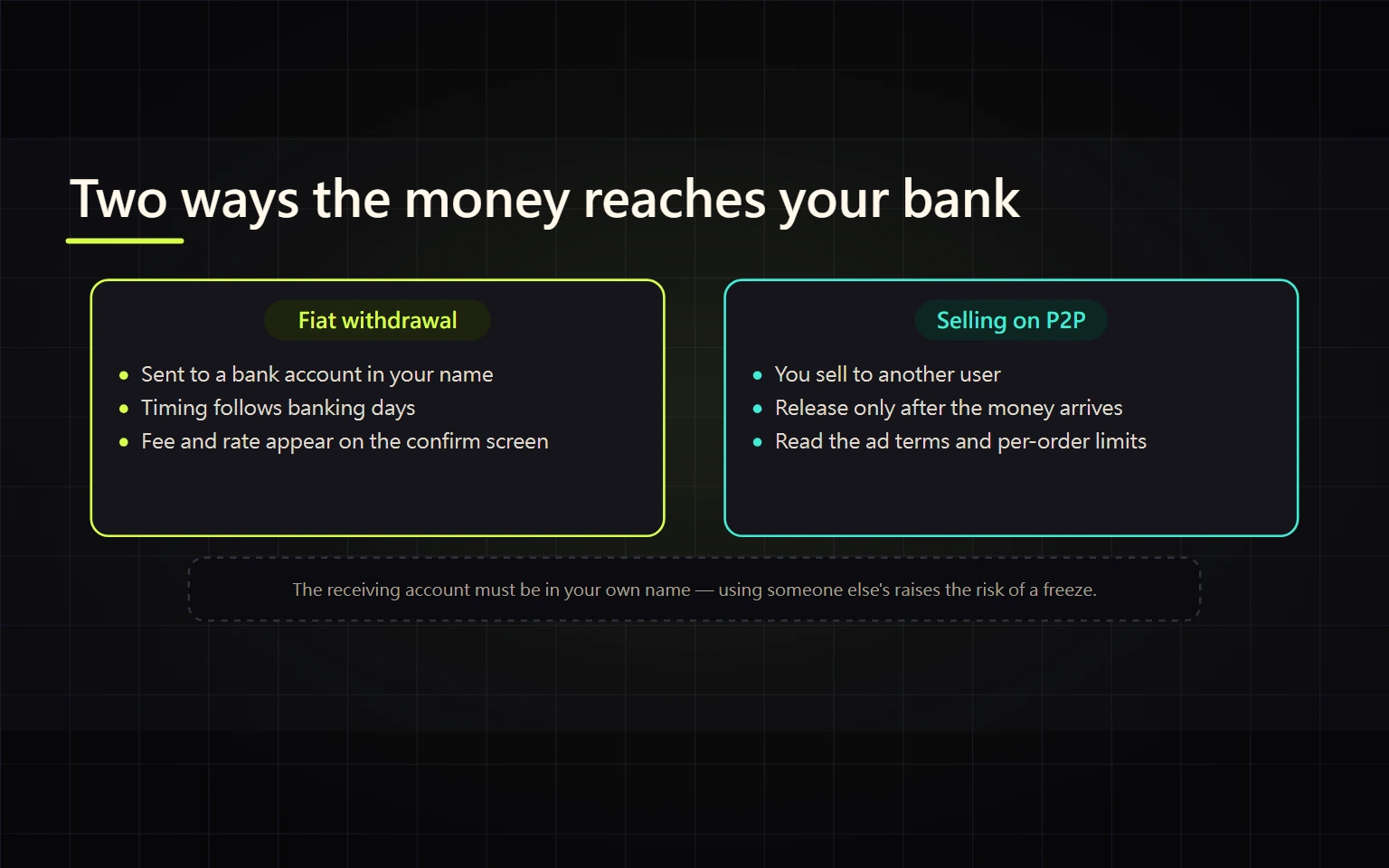
Verified on August 27, 2026. This guide covers converting crypto held on Binance into fiat and confirming receipt in your bank account. It does not cover sending crypto to an external wallet. Fiat withdrawal and P2P availability, currencies, banking methods, limits, and reviews vary by region and account. If an option is absent, do not use a VPN, another person's account, or false location data to bypass the restriction. This is general education, not investment, legal, or tax advice.
A safe cash-out is not complete when you press Sell. First identify where the asset sits and which sell asset a live route accepts. Then compare direct fiat withdrawal with P2P only if each is available to you. Finally, verify both the platform status and funds that are actually available in your own bank account.
Contents
- Define completion before you start
- Choose direct fiat withdrawal or P2P
- Prepare the asset and records
- Route A: withdraw fiat directly to a bank
- Route B: sell through Binance P2P
- Compare the net amount received
- Handle failures and stop conditions
- Cash-out completion checklist
- Official sources and verification date
Define completion before you start
A completed cash-out satisfies all four conditions:
- Binance shows a record of the asset sold or withdrawn, the rate, amount, and fees.
- Platform status is Completed, Successful, or equivalent—not Processing, Pending, or Appeal.
- You personally sign in to your own bank or payment account and see the funds in the available balance, not just in a text message, screenshot, or pending notification.
- You retain the order ID, completion time, net receipt, bank record, and necessary tax records, hiding names, account numbers, balances, and order IDs before sharing.
If any condition is missing, do not mark the route complete or sell or release the same asset again.
Choose direct fiat withdrawal or P2P
| Question | Direct fiat withdrawal | Binance P2P sale |
|---|---|---|
| Counterparty | The fiat or banking channel displayed by Binance | Another verified platform user or merchant |
| Availability | Highly dependent on region, fiat, and account | Also dependent on region, fiat, payment method, and risk controls |
| Prerequisite | Supported fiat balance or sell route | Accepted crypto, normally in Funding, plus your own payment method |
| Cost evidence | Confirmation fee, conversion, bank fee, net receipt | Executable ad price, amount, displayed fee, bank net receipt |
| Main risk | Bank details, name matching, banking hours, suspension | Fake payment, third-party payer, pressure to release, off-platform contact |
| Completion evidence | Successful withdrawal + available bank balance | Completed P2P order + available bank balance |
Sign in and confirm that a route exists for your own account before comparing it. Another user's screenshot cannot establish your eligibility. If neither route is available, stop at eligibility verification and use official support; do not borrow another person's receiving account.
Prepare the asset and records
- Record the asset, quantity, current wallet, and available cost-basis information.
- Redeem an Earn position under its product rules if necessary. If the asset is in Spot, identify the fiat or P2P asset accepted by the route you can actually use.
- If conversion is required, record the Convert input and output or the Spot average fill and trading fee. Do not chase a rapidly moving price just to complete a withdrawal.
- If P2P requires the asset in Funding, make an internal transfer and wait for it to complete before opening an order.
- Use a bank or payment account in your own verified name and under your control. Third-party accounts create rejection, freeze, and dispute risks.
- Check per-order and daily limits. Do not split a large amount to bypass a displayed limit or compliance review.
See the fiat funding guide for the inbound comparison. Deposit and withdrawal routes are not necessarily symmetrical.
Route A: withdraw fiat directly to a bank
This route exists only when the live account, region, and fiat currency show support. The general verification sequence is:
- Open Assets or Wallet, select Withdraw, and choose Fiat rather than a Crypto address withdrawal.
- Select a fiat currency you actually hold and a banking method shown as supported.
- Add or choose a receiving account in your own name. Verify the name, bank, account number, and every region-specific field.
- Enter the amount and read minimum and maximum limits, platform fee, possible bank charge, estimated timing, and banking-day rule.
- On the confirmation screen, verify the amount deducted, fee, and expected receipt before completing 2FA.
- Track the status in withdrawal history, then reconcile the actual available bank balance and net receipt.
Reconcile three separate records
| Record | What it proves | What it does not prove | Next checkpoint |
|---|---|---|---|
| Conversion or sale | Crypto became a fiat balance at a recorded fill or quote | A bank withdrawal was submitted or received | Match quantity, fee, and fiat balance before creating a withdrawal |
| Fiat-withdrawal order | Receiving method, amount, fee, and current platform state are recorded | An intermediate state such as Processing or Pending is not a bank credit | Preserve the order ID and do not resubmit while the outcome is unclear |
| Bank transaction | Your own bank shows whether the receipt posted and is available | A text, counterparty image, or pending notice is not final availability | Reconcile the net bank receipt one-to-one with the withdrawal order |
| Failed, returned, or inconsistent records | The route is not closed and requires investigation | It does not by itself prove permanent loss or make a retry safe | Check Binance fiat balance and History first, then enter official support from the original order |
The interface may use Completed, Successful, Processing, Pending, Failed, or other localized wording. Do not infer meaning from a translation alone. Use the full explanation in that History record together with the fiat balance and available bank receipt.
Binance’s regional tutorials — the BRL one, for example — demonstrate one real regional flow. They do not prove that BRL, PIX, bank transfer, or the same menu is available in your location.
The BRL example also states that the receiving bank account must be owned by the same person as the Binance account and that processing can depend on banking hours. Those are explicit conditions for that regional example. Use your own live instructions for any other location.
A cross-check on August 27, 2026 showed why this boundary matters: the unsigned Binance EUR withdrawal page could report no available method, while the BRL page required sign-in to view methods. Neither public result decides eligibility for a particular reader. The signed-in account page remains the source of truth for executable methods, limits, fees, and timing.
Route B: sell through Binance P2P
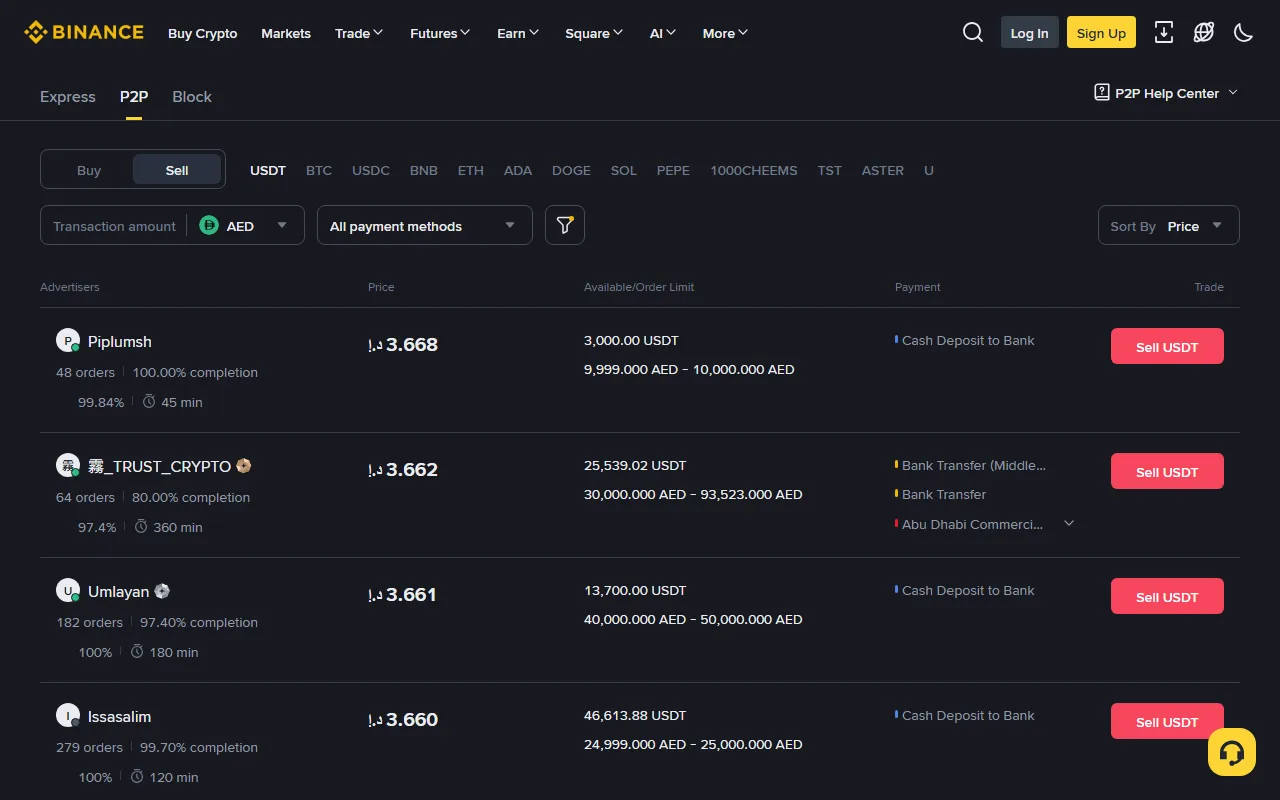
Official public Binance P2P sell market captured August 26, 2026. The page automatically selected AED. Advertisers, prices, and payment methods are a time-specific market view, not endorsements. Select your lawful region, fiat, and personal payment method before acting.
- Open the official P2P entry, select Sell, then choose the asset, fiat, and a payment method you can receive in your own name.
- Filter ads that cover your amount. Review order limits, available quantity, payment method, order count, completion rate, average release time, and terms; do not select on headline price alone.
- Confirm that the receiving method is yours. Enter the crypto quantity or desired fiat receipt and review the platform conversion.
- After creating the order, communicate only inside the platform order. Do not move to Telegram, WhatsApp, private links, or instructions to disguise or reroute payment.
- When the buyer marks Paid, independently sign in to your bank or payment account. Verify available balance, exact amount, and payer name. A text, email, buyer screenshot, or pending entry is not payment.
- Release crypto only after the funds are available and payer details satisfy the platform rules. If the name differs, funds are held, the amount is wrong, or the buyer pressures you, do not release; open an appeal inside the order.
- After release, confirm the order is Completed and retain both order and banking evidence.
A countdown or a claim that “support approved it” does not replace bank verification. Genuine support should not use an off-platform chat to request an OTP, password, screen sharing, or release before an appeal.
Compare the net amount received
Do not compare headline exchange rates. Use:
Effective net rate = funds actually available in the bank ÷ crypto actually sold
Illustrative example: For the same 1,000 USDT sale:
- Route A converts to 7,800 units of fiat, shows a withdrawal fee of 20, and the bank charges nothing. Net receipt is 7,780 and the effective net rate is 7.78.
- Route B displays a top ad at 7.85, but the best ad that actually fits your amount and payment method is 7.82. If 7,820 reaches the bank, the effective net rate is 7.82.
These figures are arithmetic examples, not a current quote for any currency. Include any earlier Convert or Spot cost, spread, bank charge, potential refund cost, completion time, and dispute risk. An ad outside your limit or payment method is not an executable price for you.
| Evidence | Route A | Route B |
|---|---|---|
| Asset and quantity sold | ||
| Conversion fill or quote | ||
| Platform-displayed fee | ||
| Bank or payment fee | ||
| Actual net receipt | ||
| Effective net rate | ||
| Time until funds were available |
Handle failures and stop conditions
| Situation | Do not | Correct next step |
|---|---|---|
| Fiat withdrawal or currency is absent | Falsify location or use a VPN | Check routes for your account and verify eligibility through official support |
| Direct withdrawal is Pending | Submit a duplicate withdrawal | Record the order ID, estimate, and banking-day rule; escalate after the stated window |
| Bank rejects it or name differs | Switch to an unknown third-party account | Save rejection evidence and correct your own bank details through the official flow |
| P2P buyer sends only a payment screenshot | Release crypto | Check available bank balance; wait or appeal if funds are absent |
| Payer name differs | Release because the buyer pressures you | Preserve in-order evidence and open an appeal |
| Funds are held, pending, or reversible | Treat them as final receipt | Wait for available funds that meet platform rules |
| Buyer requests off-platform contact or remote access | Click links or provide an OTP | Stop, return to the order, and appeal or use official support |
| Bank issue appears after release | Start a private replacement trade | Preserve order and bank evidence and contact platform support and the bank promptly |
At the first high-risk anomaly, stop. Do not diagnose it with a second, larger trade. Start every support request from the app or official website.
Cash-out completion checklist
- I verified the routes actually available to my account, region, and fiat.
- I know which wallet holds the asset, and required redemption, conversion, or internal transfer is complete.
- The receiving bank or payment account is mine and matches verified identity data.
- I compared executable price, all fees, and net bank receipt—not the highest visible ad.
- The full P2P order remained on-platform, and I released only after independently verifying available funds.
- Platform status is complete, bank funds are available, and the amounts reconcile.
- I retained order, fill, fee, banking, and necessary tax records.
Only then has the crypto been converted to fiat and actually received—not merely advanced to another platform screen.
Official sources and verification date
Primary sources rechecked August 27, 2026: