
Assets & Risk
Binance Troubleshooting and Scam Safety: Deposits, Orders, Withdrawals
Troubleshoot deposits, failed or open orders, withdrawals, fake support, and account compromise by state, evidence, and official escalation.
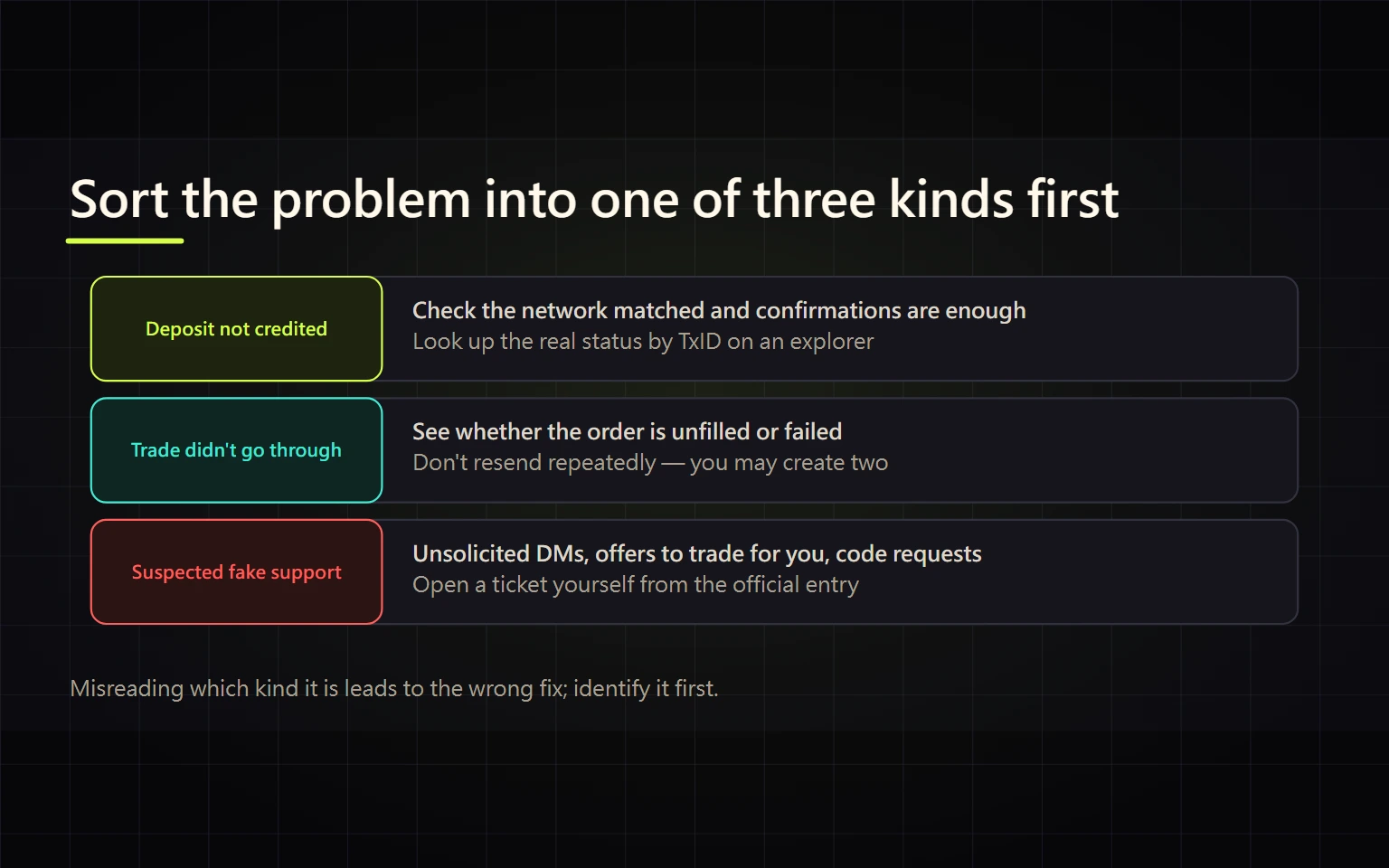
When a Binance deposit is missing, an order will not fill, or a withdrawal appears stuck, do not resubmit immediately and do not post an unredacted screenshot in a public group. The reliable sequence is to stop actions that could enlarge the loss, identify the affected money path, preserve verifiable evidence, and then use an official support route. This guide is for a beginner with one specific deposit, order, withdrawal, or account-security incident.
Verified on 2026-08-27. Status labels, processing times, and recovery tools vary by asset, network, region, and account. This article does not promise a fixed settlement time or asset recovery. Use the state, confirmation requirement, and official response attached to the actual transaction.
Urgent security branch: if assets are moving without your instruction, an unknown login appears, or you disclosed a password, code, cookie, API secret, seed phrase, private key, or remote-control access, go directly to Suspected account compromise. Protect the email and account from a trusted device before ordinary order troubleshooting. Do not rush to a “safe address” supplied by a stranger.
Table of contents
- Stop and preserve evidence
- Crypto deposit not credited
- Fiat deposit or card-order problem
- Balance visible but trade fails
- Withdrawal processing or destination missing funds
- Fake support and phishing
- Suspected account compromise
- Evidence package for official support
- Definition of resolved
Stop and preserve evidence
Do these four things first:
- Do not resubmit blindly. A duplicate deposit, card order, trade, or withdrawal can cause a second charge, another fee, or another irreversible transfer.
- Do not disclose secrets. Passwords, 2FA and SMS codes, cookies, API secrets, seed phrases, private keys, and full identity records are never troubleshooting material for a person in a chat.
- Start with account history. Open the relevant deposit, purchase, order, or withdrawal record. Note its state, time, asset, network, and order ID or TxID.
- Keep original evidence. Redact names, email, phone, bank data, full addresses, balances, cookies, and internal URLs from screenshots shared for routine support. Preserve an unedited original only for a protected official or lawful reporting process.
60-second state decision tree
Start with the first question that matches the facts. Once a branch matches, pause unrelated transactions instead of testing several routes at once.
- Is there an unknown withdrawal or login, or did you expose a password, code, cookie, key, seed phrase, or remote access?
- Yes → go directly to Suspected account compromise and secure email, sessions, and keys first.
- No → continue to question 2.
- Was crypto sent from an external wallet or exchange?
- Yes, with no TxID → it may not have been broadcast; start with the sender and do not resend.
- Yes, with a TxID → use Crypto deposit and check network, confirmations, address, and memo/tag.
- No → continue to question 3.
- Is there a bank debit, card-order problem, or P2P dispute?
- Yes → use Fiat, card, or P2P and align the bank state with the Binance order ID.
- No → continue to question 4.
- Is the balance visible while an order fails or a limit order remains open?
- Yes → use Trading order and check wallet location, locked balance, trading rules, and Open Orders.
- No → continue to question 5.
- Did Binance accept a withdrawal while the destination has no credit?
- No TxID → inspect security confirmation, review, or maintenance; do not resubmit.
- TxID exists → use Withdrawal and check the correct network and destination confirmations.
- Did the problem begin with a direct message, suspicious domain, “safe address,” or paid-unlock request?
- Yes → use Fake support and phishing, stop contact, and type the official domain yourself.
- None match → preserve the exact error and record ID, then enter official support from the matching product History. Do not diagnose with a second transaction.
Crypto deposit not credited
Check in this order:
- Sender state: if the sender still says pending and supplies no TxID, the transaction may not have been broadcast. A block explorer cannot locate an on-chain transaction that does not yet exist.
- TxID and chain state: once there is a TxID, copy it from the sender or account record and open the correct network's block explorer. Distinguish pending, confirmed, and failed. An exchange order number is not a TxID.
- Required confirmations: the Binance deposit page shows the confirmation requirement for that asset and network. Confirmed on-chain does not always mean the exchange has reached its crediting threshold.
- Four-way match: asset, network, complete deposit address, and memo/tag must match the Binance deposit page used at the time. A similarly named token on another network or a missing memo is not fixed by waiting longer.
- Service and minimums: check the asset's deposit status, minimum deposit, and maintenance notices. A below-minimum transfer or unsupported network needs the official asset-specific procedure.
Route the next action:
- No TxID: contact the sending wallet or exchange.
- Failed TxID: the chain did not complete the intended transfer; use the sender's result.
- Below the required confirmations: wait for the network; do not send a duplicate.
- Sufficient confirmations but no Binance credit: enter official Binance support or the deposit recovery tool from the account and provide the TxID, network, asset, amount, time, and sender address.
- Wrong network, address, or memo/tag: stop immediately and use the official recovery assessment. Recovery is not guaranteed and may involve a fee.
Fiat deposit or card-order problem
A bank debit is not proof that Binance completed an order. Align the order ID, payment rail, payment currency, amount, payer name, bank state, Binance order state, and the processing notice shown for that route.
- Bank transfer: verify beneficiary data, reference or memo, same-name requirements, and banking days. If the bank says completed but Binance has not credited it, retain the bank transfer evidence and Binance order ID, then use the route inside the order or Help Center.
- Card purchase: distinguish a pending authorization from a posted charge. Do not click confirm repeatedly because the asset is not immediately visible; repeated submissions can create separate orders. Issuer rejection, failed 3-D Secure, and unsupported-region errors need different handling.
- P2P: communicate and upload payment evidence only inside the order. A buyer must not mark paid before actual payment. A seller must log in to the bank and verify available funds, not trust an SMS or screenshot. Use the in-order appeal before the timer expires; do not move the dispute to Telegram, WhatsApp, or another private channel.
For a duplicate charge or card dispute, preserve every order ID and bank entry before contacting official support and the issuer. Do not delete records or keep only a chat screenshot.
Balance visible but trade fails
Check each item in sequence:
- Is the asset in Spot rather than Funding, Earn, or another wallet?
- Is an open order locking part of the available balance?
- Is the pair direction correct? A BTC/USDT buy order needs available USDT.
- Does the price and quantity satisfy the symbol's minimum notional, lot size, and price precision?
- Is it a market or limit order? A limit price that the market has not reached remains open; that is not a system failure.
- Does the page show maintenance, a regional restriction, a risk review, or an identity requirement?
Do not enlarge an order or alter decimal places at random to make an error disappear. Save the exact error code and message, then compare it with the trading rules or an official help article. If the submission state is unknown, check Open Orders and Order History before retrying.
Withdrawal processing or destination missing funds
Let the state choose the next step:
| Binance withdrawal state | What it establishes | Next action |
|---|---|---|
| Submitted, reviewing, or processing with no TxID | Binance has not supplied a traceable on-chain transaction | Check security confirmation, maintenance, or additional review; do not duplicate |
| Completed with a TxID | Binance has processed or broadcast the on-chain transfer | Check that TxID on the correct network, then apply the destination's crediting rules |
| Failed or canceled | The original request did not complete as planned | Check the returned balance and error before deciding whether to retry |
If a TxID exists but the destination does not show a balance, confirm that the recipient supports the selected network, whether it requires a memo/tag, and whether its confirmation threshold has been reached. A successful blockchain transaction proves delivery to the target address on that network; it does not prove that a custodial destination recognized and credited the account.
Ignore anyone offering private “confirmation acceleration” or “risk-control release” for a transfer. A fiat withdrawal follows its fiat order and bank state, not a blockchain-TxID workflow.
Fake support and phishing
Use the official Binance Verify tool to check a domain, email, phone number, Telegram account, or social profile. A positive identity result does not authorize a proposed investment, transfer, or listing. The page also warns that Binance will not request funds or tokens through private communications.
If you configured an anti-phishing code, its absence or mismatch in a purported Binance email is a strong warning. A matching code is not sufficient proof by itself: still inspect the full sender domain and actual link target, and reach the account by typing the official address.
Stop the interaction if any one of these appears:
- unsolicited direct-message “support” that asks to change chat platforms;
- screen sharing, remote-control software, or instructions to disable security;
- requests for a password, code, seed phrase, private key, cookie, or API secret;
- instructions to send funds to a “safe address” or pay tax, margin, or an unlock fee;
- guaranteed profit, a time-limited reward, or an immediate-account-closure threat;
- a lookalike domain or search advertisement that leads outside an official domain.
Do not argue with the account or open its “support link.” Type the official address yourself and enter the Help Center from official navigation.
Suspected account compromise
Respond according to what may have been exposed:
- Suspicious message only: block and report it, verify the source through the official tool, and review account activity.
- Link opened or password entered: from another trusted device, change the email and Binance passwords, revoke unfamiliar sessions, and review security settings. Examine the original device before using it again.
- 2FA, recovery material, or email may also be exposed: secure the email first, remove unknown devices, and reset strong authentication. If needed, use the official account page to disable the account after understanding the effect on trading and withdrawals.
- API key exposed: revoke the key immediately and review its permissions, IP allowlist, and recent trading or withdrawal activity. Do not create a replacement until the exposure source is understood.
- Assets already transferred: preserve the TxID, address, time, payment, and chat evidence; contact Binance through official support and report to the appropriate local law-enforcement or anti-fraud authority. Blockchain transfers are generally irreversible; a paid recovery service cannot guarantee return.
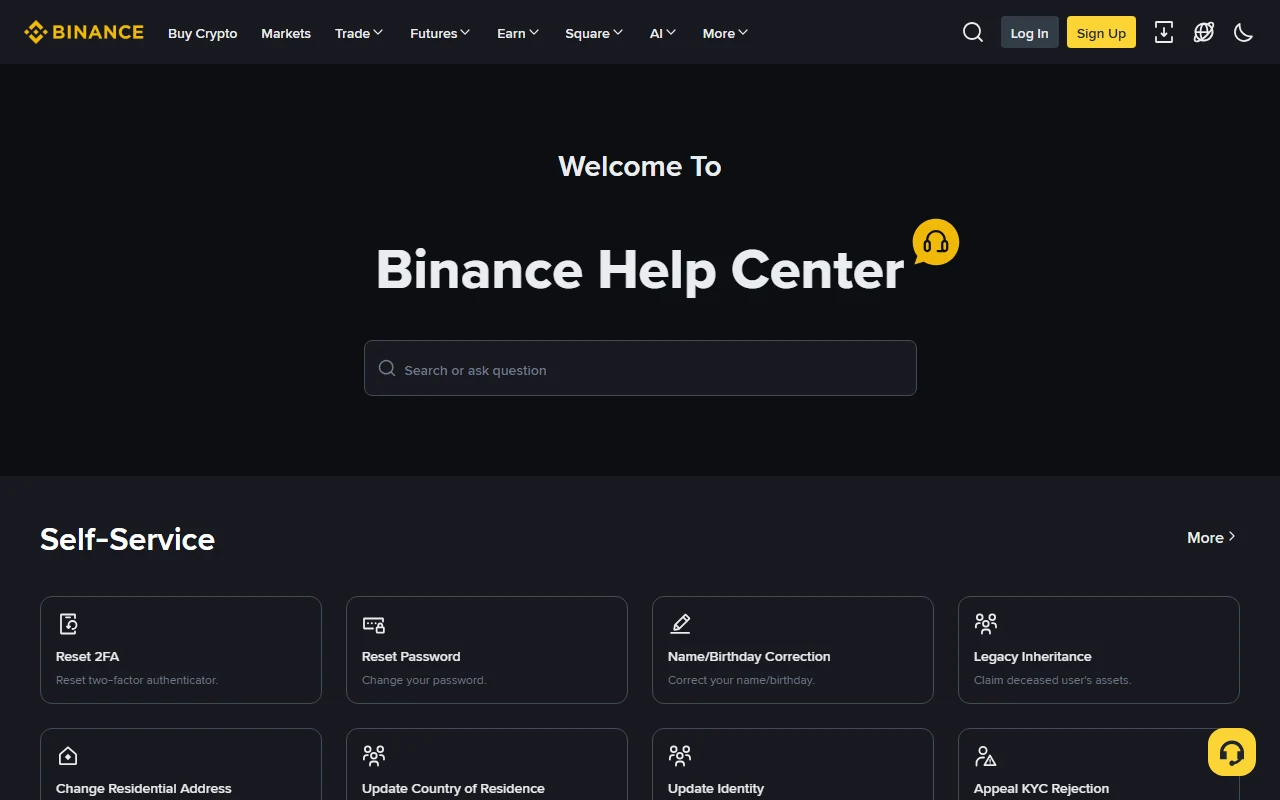
The image is the real Binance Help Center. Reach it from official navigation or by typing the domain yourself. Search for the state and product attached to the actual transaction, not a generic “funds missing” phrase supplied by a stranger.
Evidence package for official support
Prepare a short timeline containing:
- incident type: crypto deposit, fiat/card, trading order, withdrawal, or security;
- time and timezone;
- asset, network, and amount;
- Binance order ID, deposit or withdrawal record ID, or TxID;
- current state and exact error text;
- checks already completed;
- redacted screenshots;
- for a scam: the account, domain, wallet address, messages, and payment evidence.
Never put a password, 2FA code, cookie, API secret, seed phrase, or private key into ordinary chat. If an official process needs identity documents, upload them only through the protected flow you reached independently.
Definition of resolved
- Deposit: Binance shows credited, with the correct asset and amount.
- Trade: order history clearly says filled, canceled, or failed, and balances and fees reconcile.
- Withdrawal: the Binance state, TxID or bank record, and destination result agree.
- Security incident: passwords and strong factors are replaced, unknown devices and API keys are revoked, and recent activity is reviewed.
- Scam incident: evidence is preserved and the official support case and appropriate local report contain the transaction details.
If the state remains unknown but the evidence is already with official support, wait for the case update. Do not pay again, resend, or hire a private “accelerator.”
Official sources
- Binance Help Center
- Binance Verify
- How to deposit on Binance
- Secure your Binance account
- Common cryptocurrency scams and how to avoid them
- Binance risk warning
Risk notice: this is general troubleshooting and security education, not a recovery guarantee or investment, legal, or tax advice. Processing time, recovery eligibility, and fees must come from the official record and support response for the affected transaction.