
Assets & Risk
Transfer Sent but Not Received? How to Tell Broadcast, Confirmation and Crediting Apart
An on-chain transfer passes through broadcast, block confirmation and platform crediting, each handled by someone different. Check for a TxID, whether the explorer still says Pending, and whether the receiver's confirmations are met before deciding to wait, contact someone, or stop.
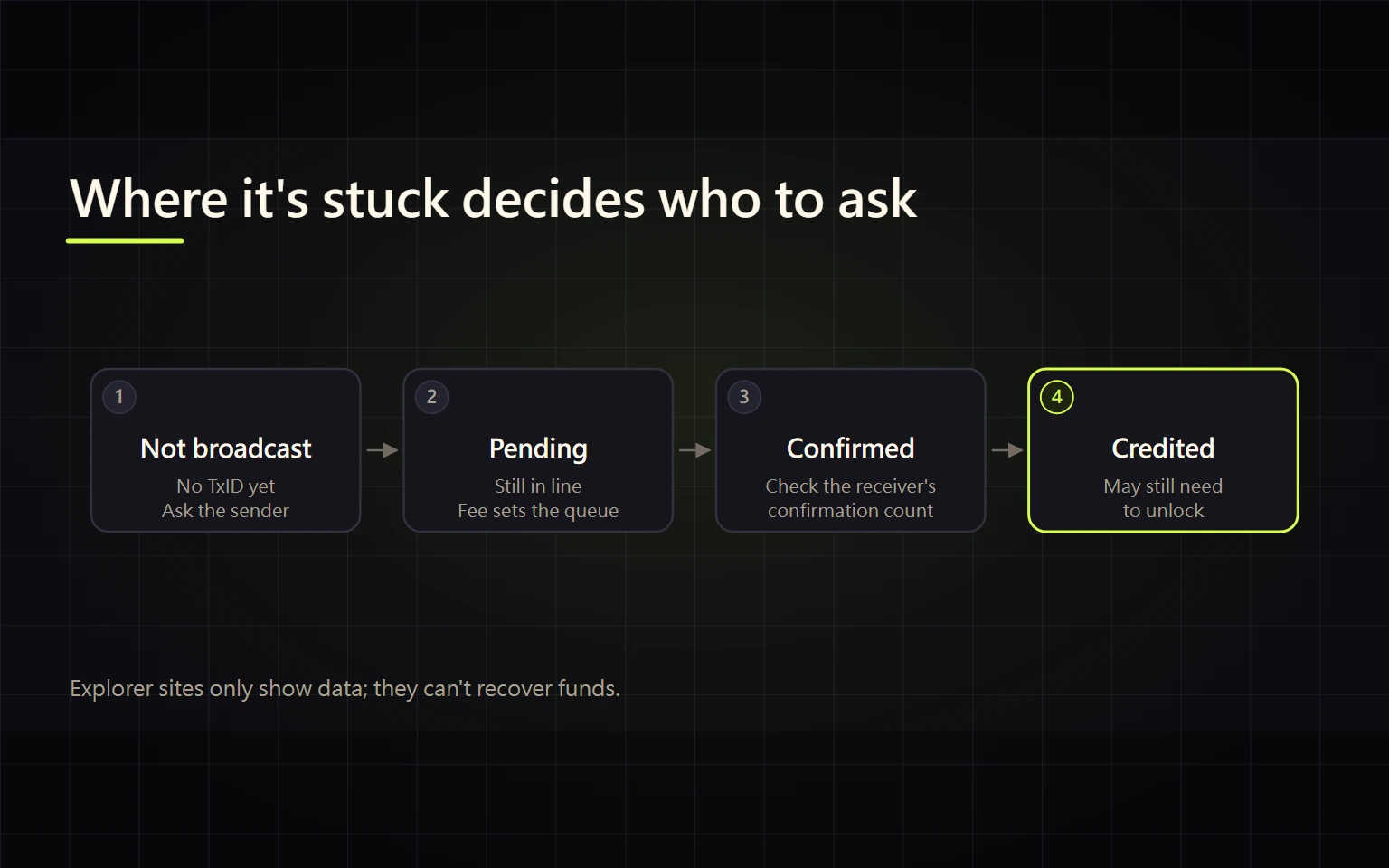
The sending side says "sent", but the money hasn't shown up on the other end. The usual mistake at this point is to chase the sending platform, the receiving platform and some "support agent" all at once. An on-chain transfer actually moves through three stages in order: broadcast, block confirmation and platform crediting. A different party is responsible for each one, so the stage your transfer is stuck at tells you whether to wait, who to contact, or when to stop. This guide covers one thing: working out which stage that is.
The three stages of a transfer
ethereum.org describes the lifecycle like this: once signed, a transaction gets a hash (its TxID), is broadcast to the network and lands in a pool of pending transactions. A validator has to include it in a block before it counts as successful, and over time that block becomes justified and then finalized. Bitcoin works similarly; its waiting area is called the mempool.
Exchange deposits add a third stage: crediting. Binance's help article "Why Hasn't My Deposit Been Credited?" says a deposit is credited once the transaction meets the minimum network confirmations set by Binance, and that the minimum is different for each cryptocurrency.
| Stage | What you see | Who handles it |
|---|---|---|
| Not broadcast | Sender shows "processing" or "under review", no TxID | The sending platform or wallet |
| Broadcast, unconfirmed | TxID exists, explorer shows Pending/Unconfirmed | The network (the fee sets your place in line) |
| Confirmed, not credited | Explorer shows success, receiver has no record or needs more confirmations | The receiving platform |
| Credited, not unlocked | Balance appears but can't be withdrawn or transferred yet | The receiving platform (extra confirmations) |
Step 1: check whether there is a TxID
No TxID usually means the transaction hasn't reached the chain, and the issue is on the sending side:
- Check the withdrawal history on the sending platform. Exchange withdrawals often pass internal review or risk checks, so "processing" there has nothing to do with the blockchain.
- Don't file a "deposit not credited" request with the receiver. It can't find a transaction that isn't on-chain yet.
- If the sender shows the withdrawal as suspended or under review, see how to tell a cooldown, a risk hold and coin maintenance apart.
If you do have a TxID, paste it into the explorer for the same network the transfer used. "Not found" most often means the wrong chain, for example a TRC20 TxID searched on Etherscan.
Step 2: Pending on the explorer means it's still in line
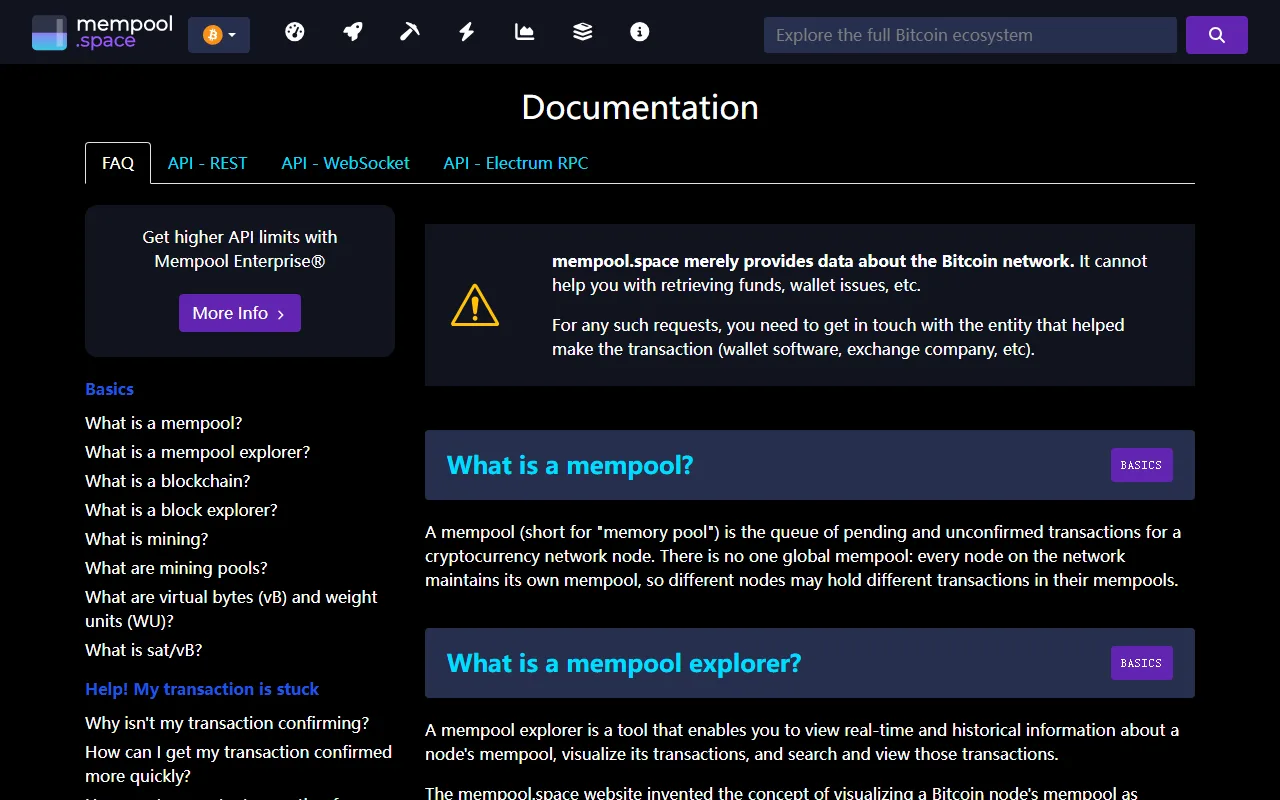
This is the FAQ page of mempool.space, a Bitcoin explorer. The banner at the top says the site only provides network data and cannot help you retrieve funds; for that you need the wallet or exchange that helped make the transaction. Its answer to "Why isn't my transaction confirming?" is that a slow transaction is probably paying a low fee rate compared with others in the mempool, and that it will eventually either confirm or fail completely.
What you can do here depends on who sent the transaction:
- From your own self-custody wallet: mempool.space describes two ways to speed things up. If the transaction was created with RBF enabled, you can replace it with a new one paying a higher fee. If you control one of its outputs, CPFP can raise the effective fee rate. Whether your wallet supports either is up to the wallet.
- From an exchange withdrawal: the platform sets the fee, so you can't speed it up yourself. Wait, or give the TxID to that platform's official support.
- Don't send it again because it's taking long. The original can still confirm, and you may end up paying twice or with conflicting transactions in your wallet.
Step 3: confirmed on-chain, but not credited
Success on the explorer only proves the on-chain leg is done. Now look at the receiving platform:
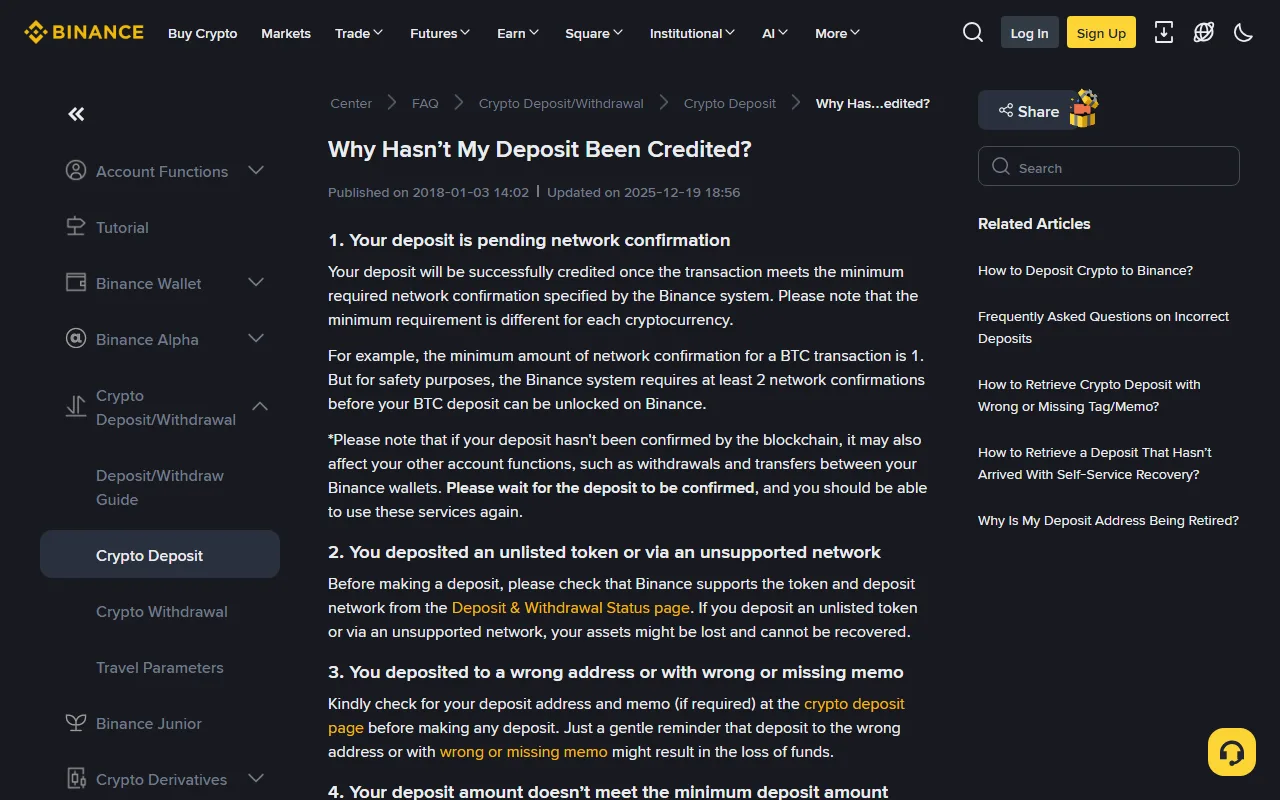
The Binance FAQ lists five causes, which work as a checklist:
- Not enough confirmations yet. Requirements differ by coin. For BTC the page says the minimum network confirmation is 1, but at least 2 are required before the deposit is unlocked on Binance. "Credited" and "usable" can happen at different times. The deposit page shows the number for each coin and network; go by what it shows you.
- Unlisted token or unsupported network. Check the Deposit & Withdrawal Status page first. The FAQ says assets sent this way might be lost and can't be recovered.
- Wrong address, or a wrong or missing memo.
- Below the minimum deposit amount. Anything under the threshold isn't credited.
- Wallet maintenance. Deposits are paused while it runs.
The same page notes that an unconfirmed deposit can also affect withdrawals and transfers between your Binance wallets until it confirms. So "I have a balance but can't move it" isn't automatically an account restriction.
If none of the five apply, use the receiving platform's official channel. Binance's full deposit checks and recovery steps are in How to Deposit Crypto to Binance: Network, Address, Memo, and Recovery.
Who to contact at each stage
- No TxID → the sending platform.
- TxID, still Pending → RBF/CPFP if it's your own wallet; if an exchange sent it, wait or ask the sender.
- Confirmed on-chain, not credited → the receiving platform, with the TxID.
- At any stage → not a "support agent" who messaged you first, and never pay a "speed-up" or "unlock" fee. The explorer website can't recover funds either.
Before contacting anyone, gather the TxID, coin, network, amount, sending and receiving addresses, the time sent, and screenshots of each side's status. If you withdrew from Binance and the other side hasn't received it, follow How to Withdraw Crypto From Binance: Networks, Whitelists, and Test Transfers.
Sources
- ethereum.org: Transactions (transaction lifecycle)
- mempool.space: FAQ (why a transaction isn't confirming, RBF and CPFP)
- Binance Help Center: Why Hasn't My Deposit Been Credited? (updated 2025-12-19)
Pages checked on 20 October 2026. Confirmation counts and minimums change, so go by what the platform shows when you make the transfer.