
Assets & Risk
Withdrawal Suspended or Under Review: How to Tell the Cause Apart
When a withdrawal is blocked, check how wide the block is first — the account, one transfer, or one coin — then decide whether to wait, verify, or appeal.
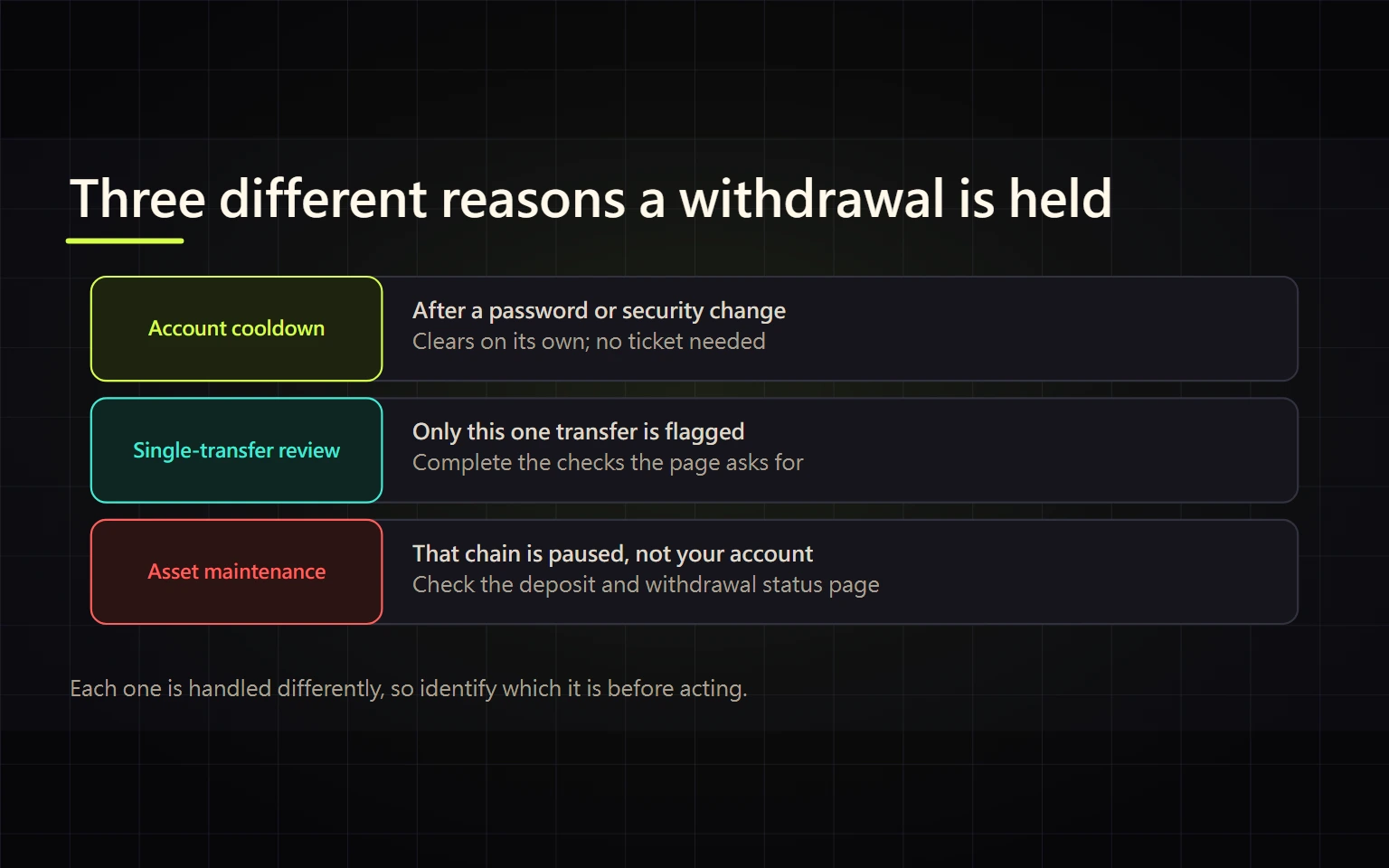
When the withdraw button stops working, or a withdrawal sits at "under review", the first thing to establish is not how to get it unlocked. It is how wide the block is: the whole account, this one withdrawal, or just one coin or network. Those three cases have different causes and different fixes, and most of them expire on their own without anyone paying anything.
Everything below is taken from Binance's published help-centre pages, checked on 21 September 2026. These durations and procedures are Binance's own rules; other exchanges design their risk controls differently, so read the notice on the platform you actually use.
Three questions that narrow it down
Work through them in order. The first "yes" is your branch:
- Does a different coin on a different network get blocked too? Yes → account level. See the cooldown and account-restriction sections below.
- Do other coins withdraw fine, but this one transfer triggered a questionnaire or a risk warning? Yes → a hold on this single withdrawal.
- Does the notice appear only on one coin's or one network's withdrawal page, saying maintenance or suspended? Yes → wallet maintenance, unrelated to your account.
Settle the scope before you act. Resubmitting withdrawals while you still don't know the scope only makes it harder to tell which attempt caused which status.
Case 1: a cooldown after a security change
This is the most common case and the easiest to recognise. Binance states it plainly: to protect your account, after certain security operations such as changing your password, the withdrawal function is temporarily suspended for 24 to 48 hours, it is reactivated automatically once that period ends, and the suspension cannot be lifted before the suspension period ends.
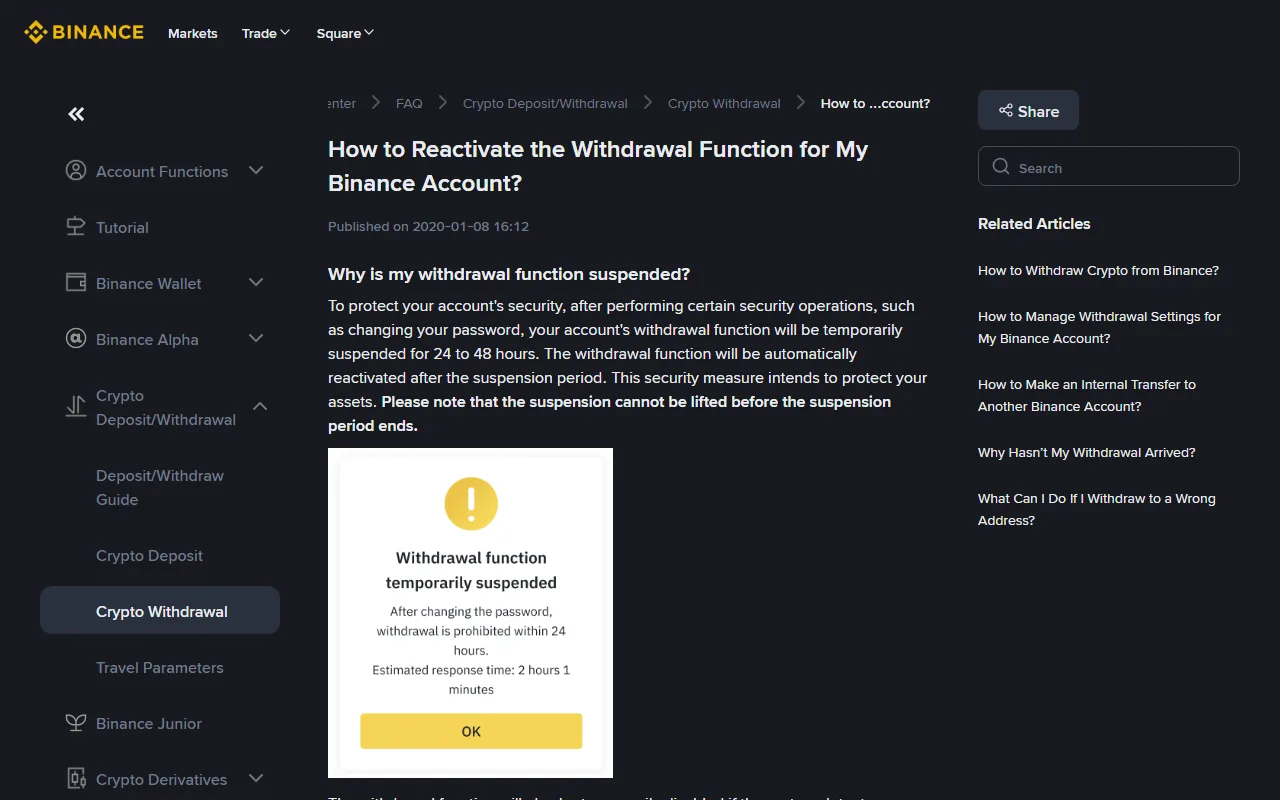
Binance official help-centre page, captured 21 September 2026. The dialog in the screenshot is the example image inside Binance's own documentation, not a live account status.
How to confirm it is this case: think back over the past two days. Did you change your password, reset 2FA, switch the linked email or phone number, or sign in on a new device? The same page adds that the withdrawal function is also disabled when the system detects abnormal activity, and that the error message itself states when you can try again — either 24 hours or 48 hours.
There are only three useful things to do while it runs: note the time written in the notice, check your email for an official message, and submit one small test withdrawal once the period is over. Running another security operation now does not help, and it makes it harder to tell when the clock actually started. If you are not sure which of your security settings you have touched, work through the account security checklist for passkeys, 2FA, and withdrawal protection and make all your changes in one sitting rather than spreading them over several days.
Case 2: a hold on this specific withdrawal
If other coins move normally and only this transfer triggers a questionnaire, a warning, or a waiting period, the check is aimed at this transaction. The anti-scam measures Binance documents for its withdrawal pages include an in-app banner reading "Binance is not calling you. Please be aware of the risk" when a call is detected, an automated risk assessment that pops up for newly flagged addresses or unusually large amounts, warning messages before sending to high-risk addresses, and cool-down periods of up to about 24 hours.
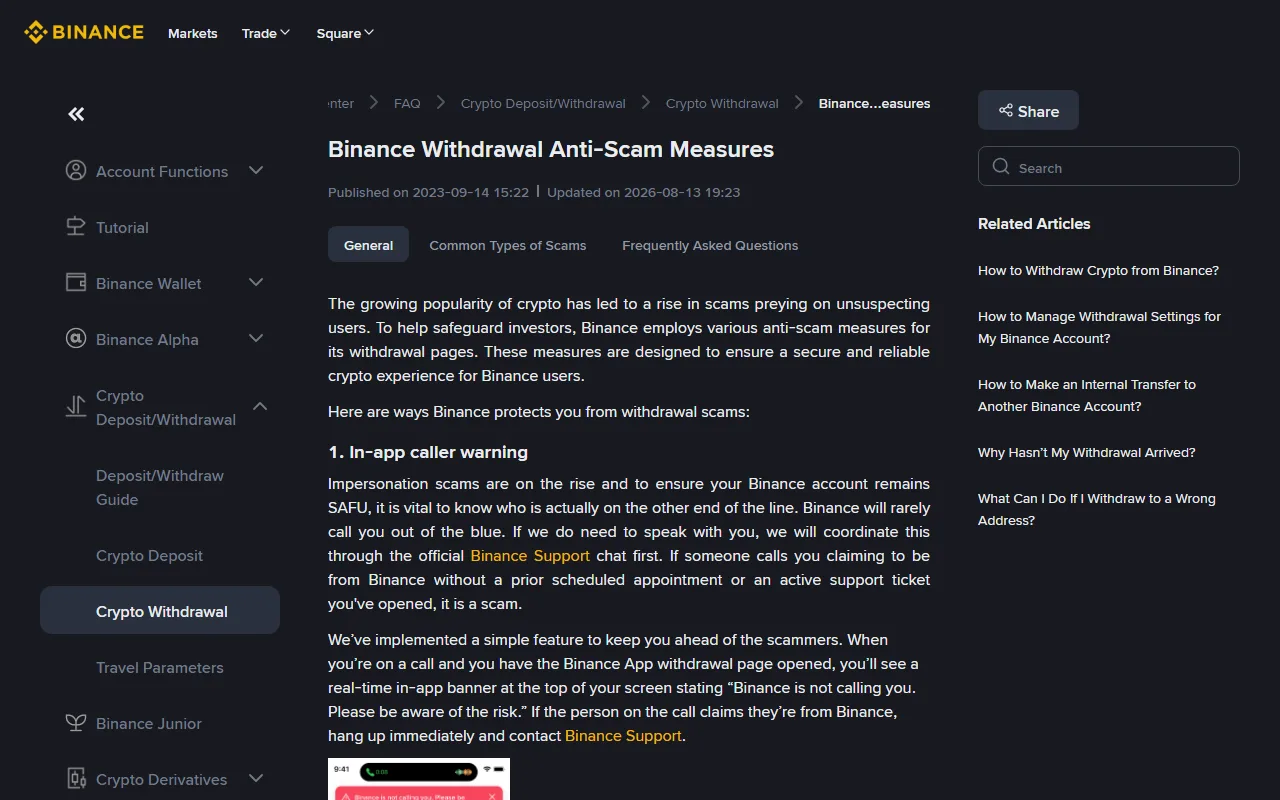
Binance's official anti-scam measures page, captured 21 September 2026; the page shows it was updated on 13 August 2026.
The same document states that Binance never permanently freezes or blocks your funds because of a potential scam risk. The point of these holds is to make you stop and re-check, not to confiscate anything.
So answer them properly instead of looking for a way around them:
- Fill in the questionnaire honestly. Questions like "who is this going to, and who told you to send it" only work if you answer them straight.
- If someone else told you to make this withdrawal — an investment mentor you met online, a caller claiming to be support, a request to send a "verification" transfer first — then the warning firing is itself the signal. Stop there; do not swap the address and retry. The recognisable patterns are covered in how to tell a real fee apart from an advance-fee withdrawal scam.
- When an address is flagged, verify that you copied it yourself from the receiving wallet or exchange, not from a chat window, a screenshot, or a "support" message.
Case 3: the coin or network is under maintenance
The third case looks alarming and has nothing to do with you. Binance's page says that while a wallet is under maintenance, deposits and withdrawals for that coin are temporarily suspended but you can still trade, and that you can either click Set Reminder to be notified when the function is restored, or select another available network.
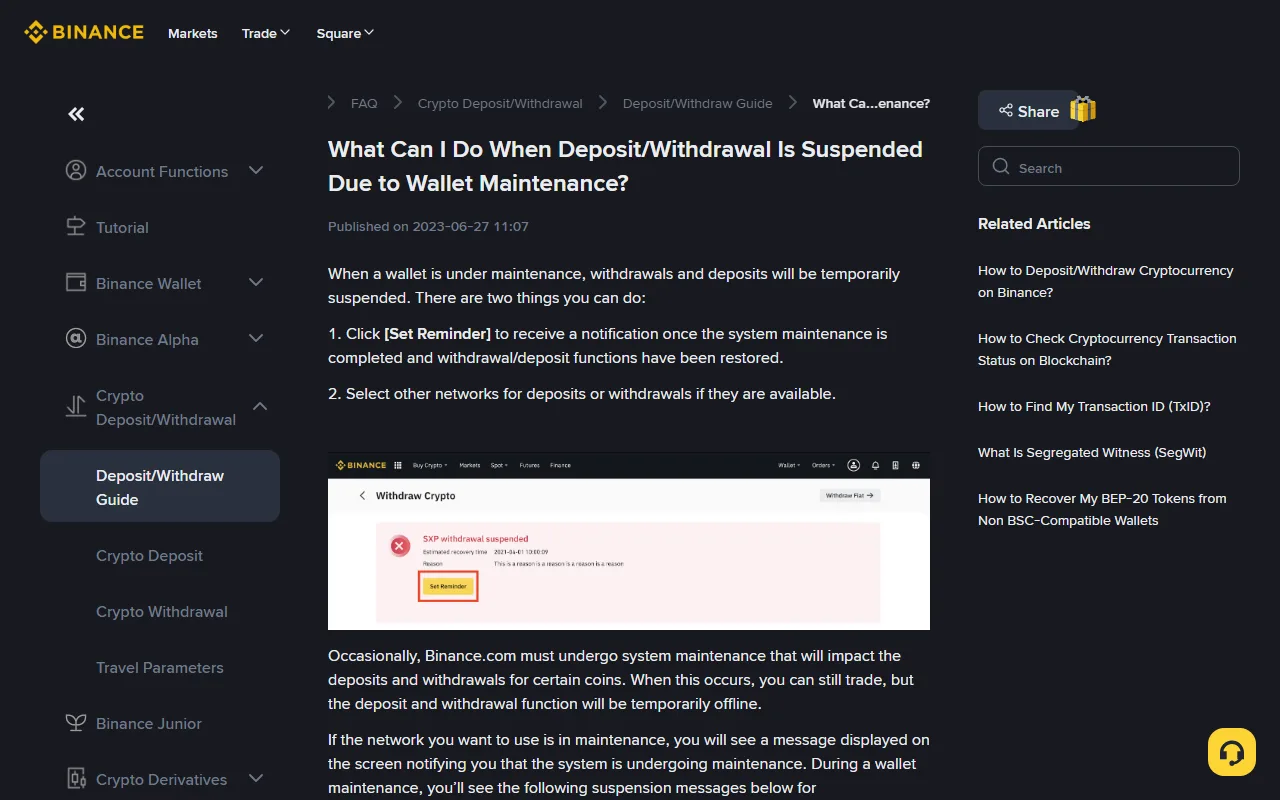
Binance's official wallet-maintenance page, captured 21 September 2026. The coin and timestamp in the sample image come from Binance's documentation.
Recognising it is straightforward: the notice sits on that coin's withdrawal page rather than in your account notifications, and other coins or networks still work. Before switching networks, confirm that the receiving side — exchange, wallet, or counterparty — supports the network you are moving to, or the funds may not be credited. The order to check that in is set out in the crypto withdrawal guide covering networks, whitelists, and test transfers.
Case 4: an account restriction, and how appeals work
If the block does not follow a security change you made, and it outlasts the time written in the notice, look at whether the account itself is restricted. Binance says affected users are informed by email, SMS, or in-app notification; where verification has failed, you can use the Withdrawal Appeal button on the reminder to submit the required documents, and a failed facial verification can also be appealed for manual review. If no appeal button is shown, you have to go through the official customer service entry point.
Two things to expect. Completing identity verification is the main route back, so an account with incomplete KYC has to finish that first. And Binance states explicitly that not every account restriction can be appealed — cases involving law-enforcement orders are the example it gives. There is no fast lane for these, and anyone online offering to handle it for you is not credible.
Four things not to do while you wait
- Do not pay anything to get funds "unlocked". No legitimate platform asks for tax, a deposit, or an unlock fee before releasing your own assets.
- Do not deal with support that contacts you first. Binance's own documentation says it will rarely call you out of the blue; without a ticket you opened or an appointment you scheduled, an inbound caller claiming to be the platform is a scam. Always start from a URL you typed yourself or the entry point inside the app.
- Do not resubmit repeatedly or try a second account. Resubmitting does not shorten a cooldown, and it can push the risk system to read your behaviour more conservatively.
- Do not use a VPN to change region, and do not switch to someone else's bank account. That turns a time-limited restriction into something that needs manual review.
What counts as resolved
All three at once: the withdrawal page no longer shows a suspension or review notice; a deliberately small test withdrawal goes through; and in your withdrawal history that transfer completes and produces a TxID you can find on a block explorer — or, for fiat, shows up as available balance at your bank rather than as pending credit.
Escalate if any of these is true: the stated period has passed and the function has not come back; you supplied everything the email asked for and heard nothing; or you received a restriction notice but can find no appeal entry. Submit through customer service inside the app or the official website, attaching screenshots with your name, email, phone number, full addresses, balances, and cookies masked.
Official sources
- Binance Help Centre, "How to Reactivate the Withdrawal Function for My Binance Account?" — the 24-to-48-hour suspension after security operations, the cooldown messages for abnormal activity, and the appeal entry point.
- Binance Help Centre, "Binance Withdrawal Anti-Scam Measures" (page updated 13 August 2026) — in-app caller warning, risk assessment questions, high-risk address warnings, cool-down periods, and the statement that funds are not permanently frozen over potential scam risk.
- Binance Help Centre, "What Can I Do When Deposit/Withdrawal Is Suspended Due to Wallet Maintenance?" — trading stays available, Set Reminder, and choosing another network.
Checked on 21 September 2026. Help-centre content can change at any time; go by the notice inside your own account and the official page before acting.