
Assets & Risk
Error Code 400 or an Internal Error: Which Ones Are Safe to Retry
A 4-series error means your request was rejected on your side. A 5-series error means the platform broke and the outcome is unknown — it may already have succeeded. Tell them apart before you resend.
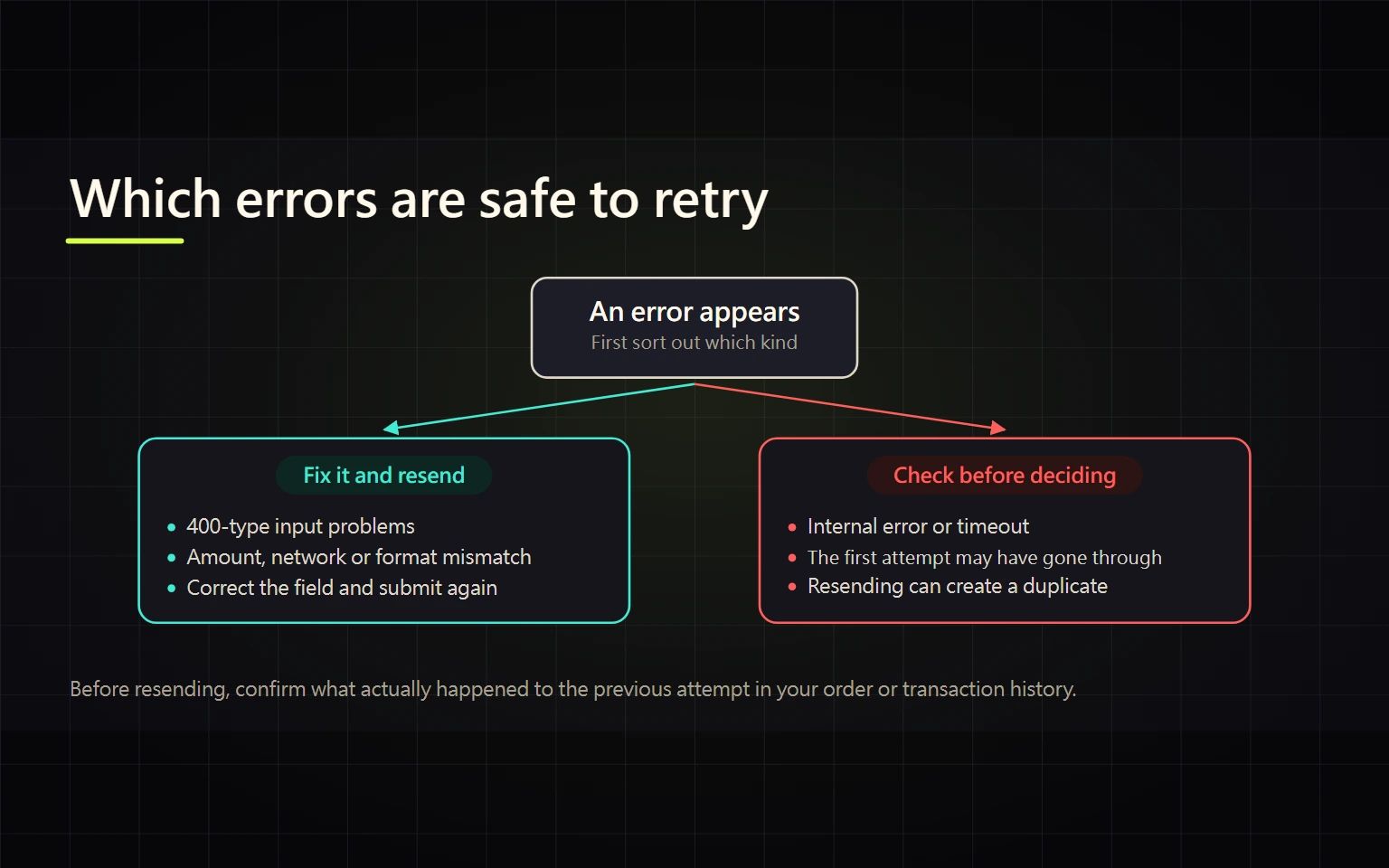
Start with the first digit of the error. A code beginning with 4 means the request was rejected on your side — repeating the same action usually produces the same rejection. A code beginning with 5 means something broke inside the platform, and in that case the outcome of your action is unknown: it may already have gone through. Treating both the same way is how people end up submitting the same order or withdrawal twice.
How Binance defines these numbers
Binance publishes the meaning of HTTP return codes in its developer documentation for the REST API:
4XX— used for malformed requests; the issue is on the sender's side403— a WAF (Web Application Firewall) rule has been violated429— a request rate limit was broken418— an IP was auto-banned for continuing to send requests after receiving4295XX— internal errors; the issue is on Binance's side. The docs put it in bold: do not treat this as a failed operation, the execution status is UNKNOWN and could have been a success
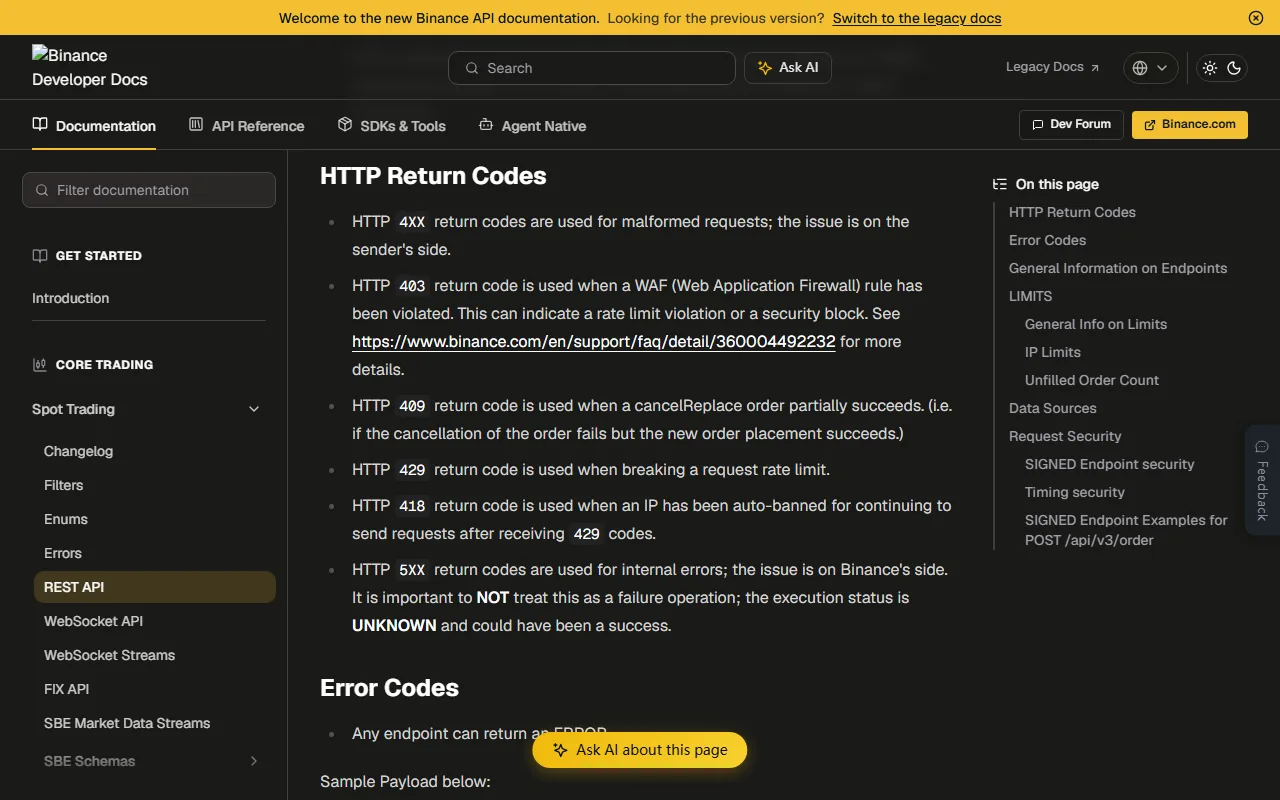
One scoping note before you use this. That page describes the API interface. What you see in the web app or the mobile app will not always show the raw code — it is often wrapped as "system busy" or "internal error, please try again later". The logic of who owns the problem carries over and is useful for deciding what to do next, but you cannot work backwards and assume a given on-screen message maps to a specific code.
Why "internal error" is the worst time to hit retry
"Execution status is UNKNOWN" is operational advice, not a disclaimer. The error code list also contains -1001 DISCONNECTED: "Internal error; unable to process your request. Please try again." The request may have died before reaching the matching engine, or it may have arrived. What the screen tells you is that this connection got no answer — not that nothing happened.
What a duplicate submission costs depends on the action:
- An order can become two fills, especially a market order
- A withdrawal can become two withdrawal requests, each charging its own fee
- A transfer from an external wallet is signed on your side, so retrying really does send funds a second time, and on-chain transfers cannot be recalled
Check the state first, then decide whether to redo anything. Orders live in order history; withdrawals live in withdrawal history and either have a TxID or do not. The guide to withdrawing crypto from Binance covers how to find a TxID and confirm it on-chain — use that to establish whether the first attempt actually went out before you send a second one.
A 60-second check: your side or theirs
Three questions, in order:
- Is one feature broken, or everything? Withdrawals failing while trading works normally points at an account-level or asset-level restriction. Everything stalling at once looks more like the platform.
- Does it survive a change of environment? Switch to mobile data, try another browser, disable ad blockers and other extensions, turn off VPN or proxy, then repeat the exact same action.
- Is there an announcement? The announcement center has a Maintenance Updates section where planned work is posted in advance, stating which functions are paused and for how long.
Reading the result: it goes away when you change environment, the problem was on your side. It survives and there is a matching announcement, wait out the stated window. It survives and there is no announcement — that is when collecting evidence and opening a ticket is worth your time.
A 403 usually is not your account being banned
In the docs 403 maps to a WAF rule, meaning a firewall blocked the request. That is a different thing from an account restriction. Binance's API FAQ splits limits into three kinds — hard limits, ML (machine learning) limits, and WAF limits — and states that trading behaviour deviating too far from the average user gets banned for a determined amount of time, ranging from 5 minutes to 3 days.
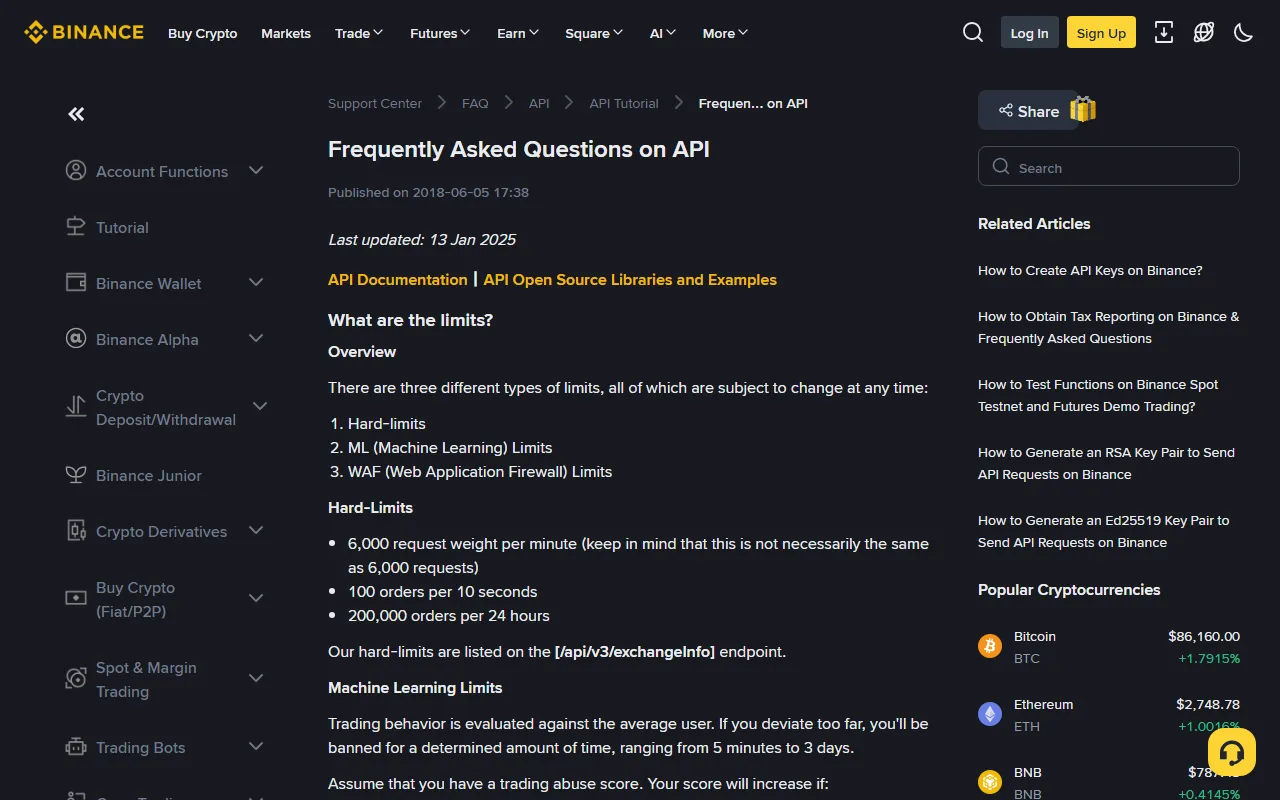
Those quotas are written for API users, so do not apply the numbers to manual use. But ordinary web users do have ways to trip a firewall: refreshing repeatedly in a short window, submitting the same form from several open tabs, or bouncing between unstable proxy or VPN exit nodes. The fix is to stop, return to a normal connection, and wait before trying again — not to keep sending. The docs define 418 precisely as what happens when you keep sending after a 429.
A wrong device clock also gets you rejected
The error list includes -1021 INVALID_TIMESTAMP: "Timestamp for this request is outside of the recvWindow." The timestamp attached to the request is too far from server time. When a device clock drifts, actions that are signed or time-limited can be refused, and the message you see will not necessarily mention time at all.
This one is quick to rule out: set your phone or computer to sync date and time automatically, turn off any manually set time zone, then restart the app and try again. Syncing system time is the direction Binance's own API FAQ gives for timestamp errors.
What to bring when you open a ticket
Once you have ruled out your own side and found no maintenance notice, submit a ticket with everything attached at once:
- A screenshot of the full error, including the code or error string
- When it happened, with the time zone written out (for example 2026-09-22 14:30 UTC+8)
- The exact path: which page, which button, which asset and amount
- What you already ruled out: which networks, devices, and browsers you tried
Mask your UID, full email address, phone number, deposit addresses, and any verification codes before attaching anything. Official support will never ask for your password, a 2FA code, or a wallet seed phrase — anyone who does is not support, and the troubleshooting and scam safety guide shows how to verify an official channel.
Three things not to do
- Mashing retry on a 5-series or "internal" error, especially for orders and withdrawals.
- Looking for "support" in search results, social media replies, or direct messages. The ticket entry point is inside your logged-in account, nowhere else.
- Running a "repair tool" or "unlock script" someone sends you. These come with an installer or a permission request; genuine error handling never requires you to install anything.
If you notice the account itself behaving oddly after the error — unfamiliar login records, changed settings — this has stopped being an error-code question. Work through the account security checklist and deal with devices and credentials first.
What counts as resolved
The error message disappearing only tells you that one request went through. Go and read the actual state instead:
- Orders: does order history show one entry or two, and do the filled quantity and average price match what you intended
- Withdrawals: the status in withdrawal history, and whether exactly one TxID was produced
- Deposits: whether on-chain confirmations have reached the required count and the balance actually moved
Whichever of those matches your action has to line up before you call it done. If it does not, open a ticket with the material above rather than testing it by trying again.